Reversing NCMC: The Spec and The Tools
How India’s NCMC transit cards keep your balance on the chip itself: reverse engineering the wallet apps and the card protocol, then building tools of my own to read the card without the official SDK.
· 64 min read
Note
I do NOT understand NCMC/EMV fully. Please don’t keep your hopes high while asking questions. A local LLM was used to rephrase this content. Certain sections were fully written via LLM becuase I’m 🤏 this close to losing my mind. There’s a lot acronymns and a lot of new concepts. I had a LLM write me a lookup table which I’ve added at the end of this blog.
Disclaimer
- This post is for educational purposes only. Nothing here is an invitation to tamper with payment systems you don’t own. Card payment networks are monitored infrastructure, and messing with other people’s cards or accounts is a crime. Don’t.
- Everything here was done on my own cards, my own accounts, or cards friends handed me with permission. I never read, replayed, or modified anyone else’s card, and I never touched anyone else’s funds.
- I am not affiliated with, endorsed by, or speaking for NPCI, RuPay, EMVCo, Airtel, PineLabs/BharatYatra, ISG, Uvik, DMRC, KMRL, Axis Bank, or any issuer/acquirer mentioned. All names and trademarks belong to their respective owners.
- This is reverse engineering, not official documentation. My reading of decompiled code and captures may be incomplete or flat-out wrong. Cross-check anything important against the sources in the footnotes.
- If you represent any of the companies above and believe something here shouldn’t be public, reach out and I’ll consider taking it down.
Note
Just here for the app? Go here - https://tangled.org/nkmason.dev/OpenNCMC.

I’ve always found NCMC interesting. The name is an abbreviation of National Common Mobility Card, and it belongs to the RuPay family1. It was initially called RuPay qSPARC, but this name has been seeing less daylight on NPCI’s website, which is a damn shame because qSPARC is a hot name.
What is NCMC? #
My understanding is that NCMC is a specification built on top of the EMV protocol. NCMC vendors are supposed to use the RuPay EMV Kernel to enable RuPay transactions via tap and pay. An offline wallet exists to enable quick transit gate transactions. RuPay is a smartcard, both contact and contactless. This brings in the need for KYC. KYC threw me off at the start of the NCMC era because I don’t wish to give away my personal data for another transit card when my older (non-KYC) card just works fine. But recently, Bengaluru’s BMRCL started accepting PineLabs’ BharatYatra cards. The card itself is widely available on quick ecommerce platforms for INR 50. These cards are promised to be non-KYC –
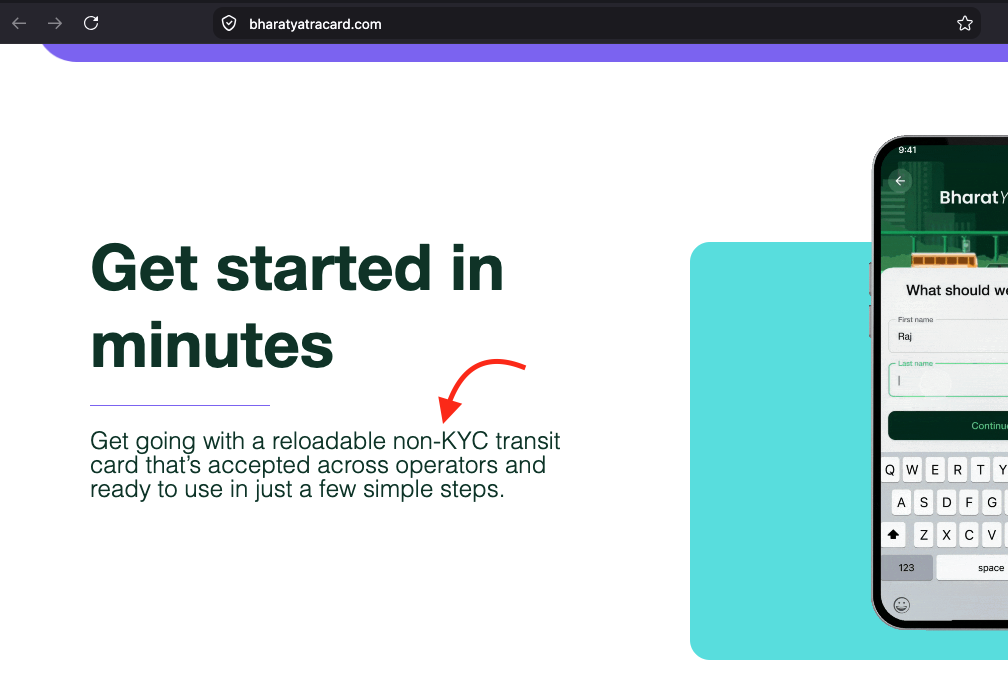
but they are NOT. I say this because the app still requires you to make an account with your personal phone number, and your card will then be linked to that number. If NCMC is a spec, then basic stuff like reading card vendor information, balance, expiry, etc should be available for free and not behind a phone number wall.
Reconnaissance #
I made an account to take a look around the app and also ordered myself a few fresh BharatYatra cards. A friend of mine donated DMRC’s Airtel NCMC card and another friend let me use their KMRL Axis Bank Kochi One card. The goal is to take any card and its sister app and try to read the balance. Ideally, the solution should work across all these cards.
The BharatYatra app shows your card balance at all times. It’s fair to assume they have a server to keep record of and track the offline wallet balance. The balance read process goes like:
- You click on check balance.
- The app asks you to tap the card on the back of your phone (Android only).
- It takes a couple of seconds and then shows the balance.
The update process is a bit more involved:
- You add balance in the app.
- The homescreen starts showing a pending balance underneath the balance it thinks your card has.
- You click on update balance.
- The app asks you to tap the card on the back of the phone.
- It reads something, then asks you to tap the card again after a while.
- When you tap the card at the second stage, the phone writes the balance to the card.
We can think of some experiments right away. What if we start the recharge process and let it go through the first stage? Before starting stage 2, we fulfill the same recharge on a second phone (both stages), then continue with stage 2 on the first phone. Double money glitch? I haven’t tried it yet at the time of writing, but I plan to in the future.
NCMC Apps #
DMRC has an Airtel NCMC card, and the Airtel Thanks app handles everything related to it. I took apart the Airtel and BharatYatra Android apps and saw a common pattern: the app itself delegates the actual NCMC business to a third party library. BharatYatra delegates to Uvik’s (related to CCAvenue) TapPay SDK, and Airtel hands it over to ISG’s TapToPay SDK. It’s very hard to Frida hook into either of the apps due to rigorous checks2. I gave a short talk about it at KochiFOSS (embedded below). Fair warning: it’s unpolished and I apologize for the quality.
After wasting a while, I decided to just look at what the spec actually looks like: MITM the NFC connection when the balance is being read and also when it’s being updated. Initially, I used a Proxmark33 to do the trace 4 and later moved to a two-phone relay setup using NFC Gate5 and my server6. It’s the same setup as my previous DMRC blog7. The relay gave me stable readings, but the readings don’t make sense yet because I don’t know the spec.
Leak? #
Looking for the specification, I found two useful documents. One is a public document by CDAC8, the other is a confidential NPCI document leaked twice on Scribd9. This confirmed the ecosystem is built on EMV. I also found that atleast one of the SDK implementor had Payhuddle write the kernel10. The leaked terminal spec is a good source of information but is quite old (look at page 16). The EMV base protocol is defined by EMVCo’s contactless kernel specifications11. The goal: reverse the NCMC app, figure out where the spec is implemented, build my own implementation, and compare it against the leak. Most of the RE’d spec should match.
Finding the implemented specification #
I managed to bypass security restrictions for both apps and the extra checks made by UVik and ISG. UVik has really hardened their app and makes it nearly impossible to test continuously. ISG, on the other hand, is only lightly hardened. The Airtel app doesn’t download the NFC split until the server confirms the user is an NCMC holder12. I had to force the download by bypassing the checks (which include Talsec2) and calling the download function via Frida13 (script attached below).
Before any transaction, the app verifies the device is genuine using Android’s Key Attestation. It generates an EC key pair in the hardware keystore, requests an attestation certificate, and verifies the certificate chain against Google’s root CAs and a revocation list. If the device is rooted, debuggable, or has developer mode on, the transaction is blocked.
1// DeviceSecurityManager.a(Context) — the entry point
2boolean rooted = RootHookDetector.c(context);
3boolean debuggable = DebugFlagChecker.b(context);
4boolean devMode = DeviceFeatureChecks.d(context) || DeviceFeatureChecks.c(context);
5if (!rooted && !debuggable && !devMode) {
6    return true;  // clean device
7}
8SecurePrefsStore.a(context).h();  // wipe session
9return false;
The SDK checks for Frida, Xposed and Substrate framework artifacts in /proc/self/maps, scans installed packages for known root/hook apps, and checks the stack trace for hooking framework class names. TLS connections use a BKS keystore (which is long expired :pepelaugh:) containing the server’s certificate. The keystore password is hardcoded in the APK. All session data, keys, and transaction state are stored in EncryptedSharedPreferences (Android Jetpack Security) with AES-256-GCM, backed by a hardware-backed master key.
Click to see the whole frida script
  1/*
  2 * Frida script to bypass Airtel Thanks app security checks.
  3 * Usage: frida -U -f com.myairtelapp -l bypass_security.js
  4 */
  5
  6// NATIVE HOOKS
  7(function setupNativeHooks() {
  8    function findExport(name) {
  9        try { var p = Module.findGlobalExportByName(name); if (p) return p; } catch (_) {}
 10        try { var p = Module.findExportByName(null, name); if (p) return p; } catch (_) {}
 11        try { var mod = Process.findModuleByName("libc.so"); if (mod) { var p = mod.findExportByName(name); if (p) return p; } } catch (_) {}
 12        try { var mod = Process.findModuleByName("libc.so"); if (mod) { var e = mod.enumerateExports(); for (var i=0;i<e.length;i++) if (e[i].name===name) return e[i].address; } } catch (_) {}
 13        try { var p = DebugSymbol.findFunctionNamed(name); if (p) return p; } catch (_) {}
 14        return null;
 15    }
 16
 17    function blockNative(name, ret, sig, args) {
 18        var p = findExport(name);
 19        if (!p) { console.log("[-] " + name + " not found"); return; }
 20        try {
 21            Interceptor.replace(p, new NativeCallback(function () {
 22                console.log("[+] BLOCKED " + name + "()");
 23                return ret;
 24            }, sig, args));
 25            console.log("[+] Replaced " + name + " @ " + p);
 26        } catch (e) { console.log("[-] " + name + ": " + e.message); }
 27    }
 28
 29    blockNative("exit",       undefined, 'void', ['int']);
 30    blockNative("_exit",      undefined, 'void', ['int']);
 31    blockNative("abort",      undefined, 'void', []);
 32    blockNative("raise",      0,         'int',  ['int']);
 33    blockNative("kill",       0,         'int',  ['int', 'int']);
 34    blockNative("tgkill",     0,         'int',  ['int', 'int', 'int']);
 35
 36    // Hook syscall to redirect exit/exit_group to getpid
 37    var syscallPtr = findExport("syscall");
 38    if (syscallPtr) {
 39        Interceptor.attach(syscallPtr, {
 40            onEnter: function (args) {
 41                var num = args[0].toInt32();
 42                if (num === 93 || num === 94 || num === 60 || num === 231) {
 43                    console.log("[+] BLOCKED syscall(" + num + ")");
 44                    args[0] = ptr(172); // getpid on arm64
 45                }
 46            }
 47        });
 48        console.log("[+] Hooked syscall");
 49    }
 50
 51    console.log("[*] Native hooks done");
 52})();
 53
 54// JAVA HOOKS
 55Java.perform(function () {
 56    console.log("[*] Airtel security bypass loaded");
 57
 58    // 1. Block security alert trigger
 59    try { Java.use("com.myairtelapp.q").g.overload("com.myairtelapp.k").implementation = function (t) { console.log("[+] Blocked: " + t); }; console.log("[+] q.g()"); } catch (e) {}
 60
 61    // 2. Auto-finish SecurityCheckActivity
 62    try { Java.use("com.myairtelapp.activity.SecurityCheckActivity").onCreate.implementation = function (b) { this.onCreate(b); this.finish(); }; console.log("[+] SecurityCheckActivity"); } catch (e) {}
 63
 64    // 3. Talsec → all false
 65    try {
 66        var h6c = Java.use("h6.c");
 67        ["A","v"].forEach(function(m){ try{h6c[m].implementation=function(){return false;};}catch(_){}});
 68        ["D","w","u","x","I","E","B","z","h"].forEach(function(m){ try{h6c[m].overloads.forEach(function(ov){ov.implementation=function(){return false;};});}catch(_){}});
 69        h6c.F.implementation = function(){ return Java.use("com.airtel.money.dto.TalsecCheckDto").$new(false,"",""); };
 70        h6c.t.overload('android.content.Context').implementation = function(c){return false;};
 71        h6c.G.overload('android.content.Context').implementation = function(c){return false;};
 72        h6c.d.overload('java.lang.String').implementation = function(s){ console.log("[+] Talsec: "+s); };
 73        console.log("[+] h6.c Talsec");
 74    } catch (e) { console.log("[-] h6.c: " + e); }
 75
 76    // 4. RNUtilsAPB
 77    try {
 78        var rn = Java.use("com.reactnative.bridge.RNUtilsAPB");
 79        rn.checkAnyRestrictedAppPresentOnDevice.implementation = function(cb){ cb.invoke(Java.use("java.lang.Boolean").FALSE); };
 80        rn.isNeedToShowBankRootedError.implementation = function(cb){ cb.invoke(Java.use("java.lang.Boolean").FALSE); };
 81        console.log("[+] RNUtilsAPB");
 82    } catch (e) {}
 83
 84    // 5. Block startActivity to SecurityCheckActivity
 85    try { Java.use("android.app.Activity").startActivity.overload('android.content.Intent').implementation = function(i){ var c=i.getComponent(); if(c!==null&&c.getClassName().indexOf("SecurityCheckActivity")!==-1){console.log("[+] Blocked startActivity");return;} this.startActivity(i); }; console.log("[+] startActivity"); } catch (e) {}
 86
 87    // 6. Block ALL Java process termination
 88    try { Java.use("java.lang.System").exit.implementation = function(c){ console.log("[+] BLOCKED System.exit("+c+")"); }; } catch(e){}
 89    try { Java.use("java.lang.Runtime").exit.implementation = function(c){ console.log("[+] BLOCKED Runtime.exit("+c+")"); }; } catch(e){}
 90    try { Java.use("java.lang.Runtime").halt.implementation = function(c){ console.log("[+] BLOCKED Runtime.halt("+c+")"); }; } catch(e){}
 91    try { var P=Java.use("android.os.Process"); P.killProcess.implementation = function(pid){ if(pid===P.myPid()||pid===0){console.log("[+] BLOCKED killProcess("+pid+")");return;} this.killProcess(pid); }; } catch(e){}
 92    try { Java.use("java.lang.Shutdown").exit.implementation = function(c){ console.log("[+] BLOCKED Shutdown.exit("+c+")"); }; } catch(e){}
 93    try { Java.use("dalvik.system.VMRuntime").exit.overload('int').implementation = function(c){ console.log("[+] BLOCKED VMRuntime.exit("+c+")"); }; } catch(e){}
 94    console.log("[+] Java kill hooks");
 95
 96    // 7. Block finishAffinity & finishAndRemoveTask
 97    try { Java.use("android.app.Activity").finishAffinity.implementation = function(){ if(this.getClass().getName().indexOf("SecurityCheck")!==-1){console.log("[+] BLOCKED finishAffinity");return false;} return this.finishAffinity(); }; } catch(e){}
 98    try { Java.use("android.app.ActivityManager$AppTask").finishAndRemoveTask.implementation = function(){ console.log("[+] BLOCKED finishAndRemoveTask"); }; } catch(e){}
 99    console.log("[+] finish hooks");
100
101    // 8. Find and neutralize the crashing native address
102    // The access violation at 0x9d973400 is from Talsec's native lib
103    // Let's identify which module it belongs to
104    setTimeout(function () {
105        try {
106            var addr = ptr("0x9d973400");
107            var mod = Process.findModuleByAddress(addr);
108            if (mod) {
109                console.log("[*] Crash address 0x9d973400 is in: " + mod.name + " @ " + mod.base);
110                // Try to NOP the first few instructions at that address
111                // This is dangerous but might stop the crash loop
112                // Memory.protect(addr, 4096, 'rwx');
113            } else {
114                console.log("[*] Crash address 0x9d973400 not in any loaded module");
115            }
116        } catch (e) {
117            console.log("[-] Module lookup: " + e);
118        }
119
120        // List all loaded native modules that might be Talsec
121        console.log("[*] Searching for Talsec native libs...");
122        Process.enumerateModules().forEach(function(m) {
123            var n = m.name.toLowerCase();
124            if (n.indexOf("talsec") !== -1 || n.indexOf("ahead") !== -1 || n.indexOf("security") !== -1 || n.indexOf("root") !== -1) {
125                console.log("  FOUND: " + m.name + " @ " + m.base + " (" + m.size + " bytes) " + m.path);
126            }
127        });
128    }, 2000);
129
130    console.log("[*] All hooks installed");
131});
132
133// RPC HELPERS
134rpc.exports = {
135    checknfc: function () {
136        return new Promise(function (resolve) { Java.perform(function () {
137            try {
138                var C = Java.use("com.myairtelapp.utils.C1308y1");
139                console.log("[*] pref: " + C.u("nfcModuleInstalled"));
140                var ctx = Java.use("com.myairtelapp.global.App").f21591s.value;
141                var sm = Java.use("io.sentry.config.a").m(ctx);
142                var list = []; var it = sm.c().iterator();
143                while (it.hasNext()) list.push(it.next());
144                console.log("[*] Splits: " + list.join(", "));
145                try { Java.use("com.apb.nfc.NFCImpProvider"); console.log("[*] NFCImpProvider: LOADED"); } catch(_) { console.log("[*] NFCImpProvider: NOT FOUND"); }
146                resolve(list);
147            } catch (e) { console.log("[-] " + e); resolve([]); }
148        });});
149    },
150    downloadnfc: function () {
151        return new Promise(function (resolve) { Java.perform(function () {
152            try {
153                var cb = Java.registerClass({ name:"com.frida.dl1", implements:[Java.use("com.facebook.react.bridge.Callback")], methods:{ invoke:function(){ console.log("[NFC] "+Array.prototype.slice.call(arguments).join(" | ")); } } }).$new();
154                Java.use("O5.b").s(cb);
155                console.log("[*] downloadNFC triggered");
156                resolve("ok");
157            } catch (e) { console.log("[-] "+e+"\n"+e.stack); resolve("err"); }
158        });});
159    },
160    downloadnfcg0: function () {
161        return new Promise(function (resolve) { Java.perform(function () {
162            try {
163                var dm = Java.use("com.myairtelapp.utils.M0").f23696a.value;
164                var cfg = Java.use("jm.c").$new("nfc","NFC","Downloading...","nfcModuleInstalled");
165                var J0=Java.use("com.myairtelapp.utils.J0"), L0=Java.use("com.myairtelapp.utils.L0");
166                var ok=Java.registerClass({name:"com.frida.ok1",implements:[J0],methods:{t:function(){console.log("[NFC] SUCCESS");}}}).$new();
167                var er=Java.registerClass({name:"com.frida.er1",implements:[L0],methods:{t:function(){console.log("[NFC] ERROR");}}}).$new();
168                dm.g(cfg,ok,er);
169                console.log("[*] downloadNFCg0 triggered");
170                resolve("ok");
171            } catch (e) { console.log("[-] "+e+"\n"+e.stack); resolve("err"); }
172        });});
173    },
174    listsplits: function () {
175        return new Promise(function (resolve) { Java.perform(function () {
176            try { var ctx=Java.use("com.myairtelapp.global.App").f21591s.value; var sm=Java.use("io.sentry.config.a").m(ctx); var l=[]; var it=sm.c().iterator(); while(it.hasNext())l.push(it.next()); console.log("[*] "+l.join(", ")); resolve(l); }
177            catch(e){ console.log("[-] "+e); resolve([]); }
178        });});
179    },
180    inspectnfc: function () {
181        return new Promise(function (resolve) { Java.perform(function () {
182            try { var c=Java.use("com.apb.nfc.NFCImpProvider"); console.log("[*] LOADED: "+c); var m=c.class.getDeclaredMethods(); for(var i=0;i<m.length;i++) console.log("  "+m[i]); resolve("loaded"); }
183            catch(e){ console.log("[*] not loaded: "+e); resolve("no"); }
184        });});
185    },
186    // Find the native lib causing crashes and list its exports
187    findtalsec: function () {
188        return new Promise(function (resolve) {
189            console.log("[*] All loaded modules:");
190            Process.enumerateModules().forEach(function(m) {
191                console.log("  " + m.name + " @ " + m.base + " (" + m.size + ")");
192            });
193            resolve("done");
194        });
195    }
196};
Upon getting the NFC split, I loaded it into JADX14 and started looking for where the spec lives. I found the kernel (possibly the Payhuddle one mentioned above) information:
 1package com.isg.kernel.rupay.objects;
 2
 3import com.isg.taptopay.StringBuilderHelper;
 4
 5/* JADX INFO: loaded from: classes.dex */
 6public final class RupayKernelInformation {
 7    public static RupayKernelInformation d;
 8    public String a = "3.0.0.0";
 9    public String b = "Release";
10    public String c = "Built-in NFC Controller";
11
12    public static final RupayKernelInformation getInstance() {
13        if (d == null) {
14            d = new RupayKernelInformation();
15        }
16        return d;
17    }
18
19    public final String toString() {
20        StringBuilder sb = new StringBuilder("Genius-ISG Rupay Contactless Kernel \n");
21        StringBuilder sbA = StringBuilderHelper.a("Version:");
22        sbA.append(this.a);
23        sbA.append(" \n");
24        sb.append(sbA.toString());
25        sb.append("Build:" + this.b + " \n");
26        sb.append("Active Card Communication Channel: " + this.c + "\n");
27        return sb.toString();
28    }
29}
If the version string follows the NCMC specification version, it confirms that this implementation does not follow the leaked document.
com.isg.taptopay defines TapToPayConfig, the top-level config for this SDK, which also populates the EMV kernel config. The configuration lives in the assets folder as KernelConfig.json:
 1{
 2  "contactlessLimit": "5000",
 3  "schemes": [
 4    {
 5      "name": "RUPAY",
 6      "assets": "rupayjson/",
 7      "transactionType": ["PURCHASE","MONEY_ADD","BALANCE_UPDATE","BALANCE_ENQUIRY","DIRECT_SELECTION"]
 8    }
 9  ]
10}
Straightforward: contactlessLimit is INR 5000 and schemes[0].transactionType tells the SDK what operations it supports. The assets folder also tells me the supported Application IDs (AIDs) for the EMV card in a file called (you won’t believe it) SupportedAid.json. Next, I looked for the transceive function that implements something related to IsoDep and worked backwards from there. All SDK config is managed by com.isg.taptopay.q7, which handles logging, resource providing, the communication interface, response listener, and more. It’s essentially a dataclass:
 1package com.isg.taptopay;
 2
 3import com.isg.kernel.rupay.doubletap.file.FileWriter;
 4import com.isg.kernel.rupay.exception.KernelConfigurationException;
 5import com.isg.kernel.rupay.listeners.RCardCommunicationInterface;
 6import com.isg.kernel.rupay.listeners.RupayKernelConfigurationInterface;
 7import com.isg.kernel.rupay.listeners.RupayKernelLogger;
 8import com.isg.kernel.rupay.listeners.RupayReaderResponseListener;
 9import com.isg.kernel.rupay.listeners.RupayResourceProvider;
10import com.isg.kernel.rupay.listeners.RupayTransactionInterface;
11import com.isg.kernel.rupay.listeners.TerminalStatusProvider;
12import com.isg.kernel.rupay.model.enums.TerminalStatus;
13import java.util.HashMap;
14import java.util.List;
15
16/* JADX INFO: renamed from: com.isg.taptopay.q7 */
17/* JADX INFO: loaded from: classes.dex */
18public final class RupayKernelConfig implements RupayKernelConfigurationInterface {
19    public static RupayKernelConfig i;
20    public RupayKernelLogger a;
21    public RupayResourceProvider b;
22    public RCardCommunicationInterface c;
23    public RupayReaderResponseListener d;
24    public FileWriter e;
25    public TerminalStatusProvider f;
26    public RupayResourceLoader g;
27    public RupayTerminalData h;
28
29    @Override // com.isg.kernel.rupay.listeners.RupayKernelConfigurationInterface
30    public final RupayTransactionInterface initialiseConfiguration() throws KernelConfigurationException {
31        this.h = new RupayTerminalData();
32        if (this.c == null) {
33            throw new KernelConfigurationException("ConfigurationException : Implement CardCommunicationInterface");
34        }
35        if (this.d == null) {
36            throw new KernelConfigurationException("ConfigurationException : Implement ReaderResponseListener");
37        }
38        RupayResourceProvider rupayResourceProvider = this.b;
39        if (rupayResourceProvider == null) {
40            throw new KernelConfigurationException("ConfigurationException : Implement RupayResourceProvider");
41        }
42        try {
43            this.g = new RupayResourceLoader(rupayResourceProvider);
44            if (this.e == null) {
45                throw new KernelConfigurationException("ConfigurationException : Implement FileWriter");
46            }
47            a(TerminalStatus.IDLE);
48            return new RupayTransactionProcessor();
49        } catch (Exception unused) {
50            throw new KernelConfigurationException("ConfigurationException : Invalid RupayResourceProvider");
51        }
52    }
53}
Following the RCardCommunicationInterface variable, we find the IsoDep transceiver in class com.isg.taptopay.d6:
 1package com.isg.taptopay;
 2
 3import com.isg.kernel.rupay.exception.CommunicationException;
 4import com.isg.kernel.rupay.listeners.RCardCommunicationInterface;
 5import com.isg.kernel.rupay.utils.BytesUtils;
 6
 7/* JADX INFO: renamed from: com.isg.taptopay.d6 */
 8/* JADX INFO: loaded from: classes.dex */
 9public final class CardChannel implements ICardChannel {
10    public static KernelLoggerWrapper b = new KernelLoggerWrapper(CardChannel.class.getName());
11    public RCardCommunicationInterface a = RupayKernelConfig.c().a();
12
13    public final byte[] a(byte[] bArr) throws CommunicationException {
14        byte[] bArrTransceive = this.a.transceive(bArr);
15        b.e(BytesUtils.bytesToString(bArrTransceive).replace(" ", ""));
16        return bArrTransceive;
17    }
18}
We can backtrack further to find where APDU command building and mapping happens. This snippet shows the builder:
 1// ...
 2public ApduCommand(int i2, int i3, int i4) {
 3    this.a = 0;
 4    this.b = 0;
 5    this.c = 0;
 6    this.d = 0;
 7    this.e = 0;
 8    this.f = new byte[0];
 9    this.g = 0;
10    this.h = true;
11    StringBuilder sb = new StringBuilder();
12    StringBuilder sbA = StringBuilderHelper.a("\n CLA: ");
13    sbA.append(BytesUtils.prettyPrintHex(BytesUtils.intToHex(ApduBytes.a(2))));
14    sb.append(sbA.toString());
15    sb.append("\n INS: " + BytesUtils.prettyPrintHex(BytesUtils.intToHex(ApduBytes.b(2))));
16    sb.append("\n P1: " + BytesUtils.prettyPrintHex(BytesUtils.intToHex(i2)));
17    sb.append("\n P2: " + BytesUtils.prettyPrintHex(BytesUtils.intToHex(i3)));
18    sb.append("\n Le: " + BytesUtils.prettyPrintHex(BytesUtils.intToHex(i4)));
19    i.d(sb.toString());
20    this.a = ApduBytes.a(2);
21    this.b = ApduBytes.b(2);
22    this.c = i2;
23    this.d = i3;
24    this.g = i4;
25    this.h = true;
26}
27// ...
The logger output helps decode the variables:
| original name | decoded name |
|---|---|
this.a |
CLA |
this.b |
INS |
this.c |
P1 |
this.d |
P2 |
this.e |
Lc |
this.f |
Data |
this.g |
Le |
this.h |
includeLe |
And, now the builder class makes much more sense:
 1// ...
 2public final byte[] build() {
 3    byte[] bArr = this.data;
 4    int length = 4;
 5    int length2 = (bArr == null || bArr.length == 0) ? 4 : bArr.length + 5;
 6    if (this.includeLe) {
 7        length2++;
 8    }
 9    byte[] bArr2 = new byte[length2];
10    bArr2[0] = (byte) this.cla;
11    bArr2[1] = (byte) this.ins;
12    bArr2[2] = (byte) this.p1;
13    bArr2[3] = (byte) this.p2;
14    if (bArr != null && bArr.length != 0) {
15        bArr2[4] = (byte) this.lc;
16        System.arraycopy(bArr, 0, bArr2, 5, bArr.length);
17        length = this.data.length + 5;
18    }
19    if (this.includeLe) {
20        bArr2[length] = (byte) (bArr2[length] + ((byte) this.le));
21    }
22    return bArr2;
23}
24//...
In the second-to-last snippet, those calls to ApduBytes (original name q5) are the command mapper, an if-else chain. Comparing against the sniffed trace, we can map the following:
| Command | CLA | INS | P1 | P2 | Source |
|---|---|---|---|---|---|
| SELECT (by DF name) | 0x00 | 0xA4 | 0x04 | 0x00 | q5.e(1)=0, q5.f(1)=0xA4, q5.g(1)=0x04, q5.h(1)=0x00 |
| READ RECORD | 0x00 | 0xB2 | SFI|4 | record# | q5.e(2)=0, q5.f(2)=0xB2, q5.g(2)=0x00, q5.h(2)=0x00 |
| GET PROCESSING OPTIONS | 0x80 | 0xA8 | 0x00 | 0x00 | q5.e(3)=0x80, q5.f(3)=0xA8, q5.g(3)=0x00, q5.h(3)=0x00 |
| GENERATE AC | 0x80 | 0x8C | CDOL type | 0x00 | q5.e(4)=0x80, q5.f(4)=0x8C, q5.g(4)=0x00, q5.h(4)=0x00 |
| PUT DATA | 0x00 | 0x71 | P1 param | 0x00 | q5.e(5)=0, q5.f(5)=0x71, q5.g(5)=0x00, q5.h(5)=0x00 |
Now we can form our own APDU to select an AID:
CLA  INS  P1  P2  Lc  Data (AID)              Le
00   A4   04  00  Lc  <AID bytes (5-16)>      00
We know the AID from the JSON file found earlier. Final APDU:
CLA  INS  P1  P2  Lc  Data (AID)            Le
00   A4   04  00  07  A0 00 00 05 24 10 10  00
This AID also appears in the SELECT PPSE response (00 A4 04 00 0E 32 50 41 59 2E 53 59 53 2E 44 44 46 30 31 00, which selects the PPSE 2PAY.SYS.DDF01 to discover payment apps):
[CMD] SELECT PPSE: 00 A4 04 00 0E 32 50 41 59 2E 53 59 53 2E 44 44 46 30 31 00
[RSP] SELECT PPSE: 6F 32 84 0E 32 50 41 59 2E 53 59 53 2E 44 44 46 30 31 A5 20 BF 0C 1D 61 1B 4F 07 << A0 00 00 05 24 10 10 >> 50 0D 52 75 50 61 79 20 50 72 65 50 61 69 64 87 01 01 90 00
[CMD] SELECT AID: 00 A4 04 00 07 A0 00 00 05 24 10 10 00
[RSP] SELECT AID: 6F 76 84 07 A0 00 00 05 24 10 10 A5 6B 50 0D 52 75 50 61 79 20 50 72 65 50 61 69 64 87 01 01 9F 38 1D 9F 40 05 DF 3A 05 9F 33 03 9F 09 02 9F 15 02 9A 03 9F 21 03 9F 37 04 DF 16 02 9F 1C 08 5F 2D 02 65 6E 9F 11 01 01 9F 12 0D 52 75 50 61 79 20 50 72 65 50 61 69 64 BF 0C 1D 9F 4D 02 10 0A DF 07 15 01 00 00 81 81 94 25 05 67 28 88 01 14 01 0F 01 0F FF 01 AC 00 90 00
Understanding the Card’s Memory #
With the SELECT and GPO responses decoded, we can now map the card’s internal file system. This matters because the balance is stored in a specific record, and you need to know which record to read.
EMV smart card memory is organized like a standard filesystem. Instead of folders and files, an EMV card uses Dedicated Files (DFs, like folders) and Elementary Files (EFs, like files containing actual records). Each record is identified by a Short File Identifier (SFI), a 5-bit number (1-30) that goes into P2 as (SFI << 3) | 4 during READ RECORD commands, while P1 carries the record number. Data is packaged using BER-TLV (Basic Encoding Rules: Tag-Length-Value) to transmit complex structures efficiently over the lightweight contactless channel. The internal storage follows a strict tree structure.
For high-speed offline payments without waiting for a bank server response, the card reserves isolated storage compartments called Service Compartments. Each compartment holds its own local balance managed by a specific transit or retail operator, separate from the primary global balance managed by the issuing bank. The SFI names came from the RE’d app and were later confirmed against the NPCI document.
flowchart TD
    MF[MF: Master File] --> PPSE[DF: PPSE 2PAY.SYS.DDF01]
    PPSE --> BF0C[Directory Data: Tag BF0C]
    BF0C --> AppEntry[App Entry: Tag 61]
    AppEntry --> AID[AID: A0000005241010]
    AppEntry --> Label[Label: RuPay PrePaid]

    MF --> Rupay[DF: RuPay AID A0000005241010]
    Rupay --> EFs[Elementary Files]

    EFs --> SFI1[SFI 1: Application Data]
    SFI1 --> Rec1_3[Rec 3: PAN, Expiry, CDOL1]

    EFs --> SFI2[SFI 2: System Parameters]
    SFI2 --> Rec2_1[Rec 1: CA Pub Key Index, ICC Exponent]
    SFI2 --> Rec2_2[Rec 2: Currency Code 0356 INR, Service Code]

    EFs --> SFI3[SFI 3: Crypto Certificates]
    SFI3 --> Rec3_7[Rec 7: ICC Public Key Certificate]
    SFI3 --> Rec3_8[Rec 8: Issuer Public Key Certificate]

    EFs --> SFI4[SFI 4: Security Remainder]
    SFI4 --> Rec4_1[Rec 1: ICC Public Key Remainder]

    EFs --> SFI16[SFI 16: Transaction Log]
    SFI16 --> Log[Rec 1-10: Circular Historical Log]

    Rupay --> NCMC[NCMC Service Compartments: Tag DF07]
    NCMC --> SC1[Compartment 1: Service ID 00 31]
    SC1 --> Bal1[SrBalance: Local Wallet]
    SC1 --> Atc1[SrATC: Service Counter]
    SC1 --> Keys1[K_psk: Session Keys]
    NCMC --> SC2[Compartment 2: Service ID 00 32]
    SC2 --> Bal2[SrBalance: Local Wallet]
    SC2 --> Atc2[SrATC: Service Counter]
    SC2 --> Keys2[K_psk: Session Keys]
    NCMC --> SC3[Compartment 3: Service ID 00 33]
    SC3 --> Bal3[SrBalance: Local Wallet]
    SC3 --> Atc3[SrATC: Service Counter]
    SC3 --> Keys3[K_psk: Session Keys]
flowchart TD
    MF[MF: Master File] --> PPSE[DF: PPSE 2PAY.SYS.DDF01]
    PPSE --> BF0C[Directory Data: Tag BF0C]
    BF0C --> AppEntry[App Entry: Tag 61]
    AppEntry --> AID[AID: A0000005241010]
    AppEntry --> Label[Label: RuPay PrePaid]

    MF --> Rupay[DF: RuPay AID A0000005241010]
    Rupay --> EFs[Elementary Files]

    EFs --> SFI1[SFI 1: Application Data]
    SFI1 --> Rec1_3[Rec 3: PAN, Expiry, CDOL1]

    EFs --> SFI2[SFI 2: System Parameters]
    SFI2 --> Rec2_1[Rec 1: CA Pub Key Index, ICC Exponent]
    SFI2 --> Rec2_2[Rec 2: Currency Code 0356 INR, Service Code]

    EFs --> SFI3[SFI 3: Crypto Certificates]
    SFI3 --> Rec3_7[Rec 7: ICC Public Key Certificate]
    SFI3 --> Rec3_8[Rec 8: Issuer Public Key Certificate]

    EFs --> SFI4[SFI 4: Security Remainder]
    SFI4 --> Rec4_1[Rec 1: ICC Public Key Remainder]

    EFs --> SFI16[SFI 16: Transaction Log]
    SFI16 --> Log[Rec 1-10: Circular Historical Log]

    Rupay --> NCMC[NCMC Service Compartments: Tag DF07]
    NCMC --> SC1[Compartment 1: Service ID 00 31]
    SC1 --> Bal1[SrBalance: Local Wallet]
    SC1 --> Atc1[SrATC: Service Counter]
    SC1 --> Keys1[K_psk: Session Keys]
    NCMC --> SC2[Compartment 2: Service ID 00 32]
    SC2 --> Bal2[SrBalance: Local Wallet]
    SC2 --> Atc2[SrATC: Service Counter]
    SC2 --> Keys2[K_psk: Session Keys]
    NCMC --> SC3[Compartment 3: Service ID 00 33]
    SC3 --> Bal3[SrBalance: Local Wallet]
    SC3 --> Atc3[SrATC: Service Counter]
SC3 --> Keys3[K_psk: Session Keys]A Quick Primer on EMV, TLV, and Cryptograms #
The sections above covered the memory layout and APDU structure. Before walking through the balance read, I want to explain the cryptographic concepts the rest of this post relies on.
The Cryptogram Types #
When you send GENERATE AC, you specify in P1 which type of cryptogram you want:
| P1 value | Name | Meaning |
|---|---|---|
| 0x00 | AAC (Application Authentication Cryptogram) | “Declined.” |
| 0x40 | TC (Transaction Certificate) | “I approve this offline, no bank needed.” |
| 0x80 | ARQC (Authorization Request Cryptogram) | “This needs to go online for the bank to approve.” |
The SDK’s AcTypeMapper proves the mapping: command code 1 → P1 0x00, 2 → 0x40, 3 → 0x80, and the double-tap flow requests 0x40 (TC) when the server’s ARC is “00”, 0x00 (AAC) otherwise.
For balance reading, the terminal asks for a cryptogram at zero amount and the card answers with its signed state (CID 0x80 in the trace at the end of this post), which happens to include the balance.
The Chain of Trust #
The card’s signing key is not trusted directly by the terminal. Instead:
CA (Certification Authority) public key
  → signs the Issuer's public key certificate
    → signs the Card's (ICC) public key certificate
      → the card uses its private key to sign transactions
The terminal has the CA public keys baked into its config. It uses them to verify the bank’s certificate, which verifies the card’s certificate, which verifies the card’s signatures. This is called Offline Data Authentication (ODA), and it proves the card is genuine without contacting any server.
How Balance Read Works #
Now the interesting part. Here is the full balance read flow, from React Native (Airtel’s app) callback to final JSON output.
The Setup #
Once NFCCardReaderActivity (the entry activity) determines the card is RuPay (done by parsing the PPSE response for the AID), the CardTxnStartRunnable (com.isg.taptopay.n4) wires up the kernel:
 1// CardTxnStartRunnable.run()
 2cardTxnCoordinator.j.getConfiguration()
 3    .withLogger(kernelLoggerBridge)
 4    .withReaderResponse(new RupayReaderCallback(this.d))          // ← results come back here
 5    .withCardCommunication(new RupayCardCommAdapter(nfcIsoDepChannel))
 6    .withReaderResource(new RupayResourceProviderImpl(..., "rupayjson/"))
 7    .withFileWriter(new RupayFileWriterImpl())
 8    .withTerminalStatus(new TerminalStatusProviderImpl())
 9    .initialiseConfiguration()                                    // → RupayTransactionProcessor
10    .processWithTransaction(inputData, ppseResponse);
RupayReaderCallback (com.isg.taptopay.y3) is the key class. It implements RupayReaderResponseListener and is called by the kernel when the card session completes. Everything the card returned gets delivered to its transactionOutcome() method.
The APDU Session #
The RupayTransactionProcessor.b() (com.isg.taptopay.f8.b()) method drives the card through four standard EMV commands. Each one is built by ApduCommand and sent over the CardChannel (which wraps IsoDep.transceive()):
 1// 1. SELECT the application by AID
 2//    CLA=00 INS=A4 P1=04 P2=00, data = AID bytes
 3byte[] selectResponse = ApplicationSelection.b(aidBytes, cardChannel);
 4//    Card returns: 6F (FCI) containing 84 (DF Name), A5, PDOL (9F38)
 5
 6// 2. GET PROCESSING OPTIONS
 7//    CLA=80 INS=A8 P1=00 P2=00, data = 83 <len> <PDOL-filled data>
 8byte[] gpoResponse = new GpoProcessor(cardChannel, pdol, txnState).a();
 9//    Card returns: 77 containing 82 (AIP) and 94 (AFL = which records to read)
10
11// 3. READ RECORD — walk the AFL, read each record
12//    CLA=00 INS=B2 P1=recordNumber P2=(SFI<<3)|4 Le=00
13byte[] record = aflRecordReader.a(recordNum, (sfi << 3) | 4, 0);
14//    Card returns: 70 (Record Template) containing 57 (Track2), 5A (PAN),
15//                  8C (CDOL1), 8D (CDOL2), etc.
16
17// 4. GENERATE AC — ask the card to sign the transaction
18//    CLA=80 INS=8C P1=acType (0x40=TC, 0x80=ARQC, 0x00=AAC) P2=00, data = CDOL1-filled buffer
19//    (166 bytes for this card: 17 tags, DF45 alone is 96)
20byte[] genAcResponse = GenerateAcProcessor.a(channel, cdol1Data, acType);
21//    Card returns: 80 <CID(1B) ATC(2B) AC(8B) IAD(variable)>
22
The GENERATE AC response is where the balance lives. EMV defines two response formats here, and RuPay cards use either. Format 1 (response template tag 80) packs everything into a compact form without TLV tags, just raw bytes:
Byte 0:      CID (Cryptogram Information Data — says "offline approved")
Bytes 1-2:   ATC (Application Transaction Counter — anti-replay counter)
Bytes 3-10:  AC (Application Cryptogram — the card's signature)
Bytes 11+:   IAD (Issuer Application Data — proprietary data, includes balance)
Format 2 (response template tag 77) carries the exact same fields wrapped in TLV instead: 9F27 (CID), 9F36 (ATC), 9F26 (AC), 9F10 (IAD). The card in the annotated trace at the end of this post uses format 2. The SDK parses both; the snippet below shows the format-1 raw-byte path:
The SDK parses this in GenerateAcProcessor.b() (com.isg.taptopay.k6.b()):
1// Extract IAD from the response
2String strE4 = EmvTags.ISSUER_APPLICATION_DATA.e();   // "9F10"
3String iad = BytesUtils.bytesToStringNoSpace(
4    Arrays.copyOfRange(value3, 11, value3.length));    // everything after byte 10
5txnState.b(strE4, iad);                               // store in tag map
Extracting the Balance #
After the APDU session, RupayReaderCallback.transactionOutcome() fires. Its b() method walks the output tag map and pulls the balance out of the Issuer Application Data:
1// RupayReaderCallback.b() — building CardReadDataModel from kernel output
2
3CardTagDef iadTag = CardTagRegistry.s;   // tag 9F10 = Issuer Application Data
4String iad = map.get(iadTag.b());        // hex string of IAD
5this.cardReadData.setmCardAmount(a(b(iad)));
The helper methods:
 1// Picks the balance digits from the IAD hex string
 2public final String b(String str) {
 3    return str.substring(23, 34);    // 11 hex characters, starting at position 23
 4}
 5
 6// Converts to rupees: parse as decimal integer, divide by 100
 7public final String a(String str) {
 8    double d = Double.parseDouble(
 9        Integer.toString(Integer.parseInt(str))) / 100.0d;
10    return String.format(Locale.US, "%.2f", d);
11}
So if the card’s IAD contains 043200 at the right offset, that becomes 43200 paise, which is 432.00 rupees. The offset substring(23, 34) is specific to this card’s IAD layout. The first 23 hex characters are issuer-proprietary header data, and the next 11 encode the balance as a zero-padded decimal number in paise (1/100th of a rupee). Max money can be 99,99,99,999.99, aka ninety nine crore ninety nine lakh ninety nine thousand nine hundred ninety nine rupees and ninety nine paisa.
Full Balance Read Sequence #
sequenceDiagram
    participant JS as React Native
    participant Ops as NfcDynamicSdkOperations
    participant API as TapToPayTransactionApi
    participant Act as NFCCardReaderActivity
    participant Kern as RupayTransactionProcessor
    participant Card as RuPay Card (NFC)
    participant CB as RupayReaderCallback

    JS->>Ops: initiateNFCOperation("balance_enquiry")
    Ops->>API: initiateRupayBalanceEnquiry(activity, tapToPay)
    API->>Act: startActivity(txnType=22)

    Note over Act,Kern: Kernel session begins

    Kern->>Card: SELECT PPSE (2PAY.SYS.DDF01)
    Card-->>Kern: 6F [AID list]
    Kern->>Card: SELECT AID (A0000005241010)
    Card-->>Kern: 6F [FCI with PDOL]
    Kern->>Card: GPO (80 A8, PDOL-filled data)
    Card-->>Kern: 77 [AIP, AFL]
    Kern->>Card: READ RECORD (per AFL, 6 records)
    Card-->>Kern: 70 [PAN, Track2, CDOL1, CDOL2, IACs]
    Kern->>Card: GENERATE AC (80 8C, ARQC, 48-byte data)
    Card-->>Kern: 80/77 [CID, ATC, AC, IAD]

    Note over CB: IAD.substring(23,34)<br/>parseInt / 100 = balance

    Kern-->>CB: transactionOutcome(ReaderOutput)
    CB->>CB: CardReadDataModel.setmCardAmount("432.00")
    CB->>Act: ICardTxnCallback.a(model, status, mode)
    Act-->>JS: transactionResponse(json)
sequenceDiagram
    participant JS as React Native
    participant Ops as NfcDynamicSdkOperations
    participant API as TapToPayTransactionApi
    participant Act as NFCCardReaderActivity
    participant Kern as RupayTransactionProcessor
    participant Card as RuPay Card (NFC)
    participant CB as RupayReaderCallback

    JS->>Ops: initiateNFCOperation("balance_enquiry")
    Ops->>API: initiateRupayBalanceEnquiry(activity, tapToPay)
    API->>Act: startActivity(txnType=22)

    Note over Act,Kern: Kernel session begins

    Kern->>Card: SELECT PPSE (2PAY.SYS.DDF01)
    Card-->>Kern: 6F [AID list]
    Kern->>Card: SELECT AID (A0000005241010)
    Card-->>Kern: 6F [FCI with PDOL]
    Kern->>Card: GPO (80 A8, PDOL-filled data)
    Card-->>Kern: 77 [AIP, AFL]
    Kern->>Card: READ RECORD (per AFL, 6 records)
    Card-->>Kern: 70 [PAN, Track2, CDOL1, CDOL2, IACs]
    Kern->>Card: GENERATE AC (80 8C, ARQC, 48-byte data)
    Card-->>Kern: 80/77 [CID, ATC, AC, IAD]

    Note over CB: IAD.substring(23,34)<br/>parseInt / 100 = balance

    Kern-->>CB: transactionOutcome(ReaderOutput)
    CB->>CB: CardReadDataModel.setmCardAmount("432.00")
    CB->>Act: ICardTxnCallback.a(model, status, mode)
Act-->>JS: transactionResponse(json)How Balance Update Works #
Adding money to the card is harder. You cannot just “write a balance” because the card will not accept unsigned changes. The issuer has to authorize the top-up cryptographically, and the card has to verify that authorization. This requires two taps.
Why Two Taps? #
The balance update is a three-party operation: the phone, the server, and the card. The server generates a cryptogram authorizing the top-up. The card must verify this cryptogram using keys it shares with the issuer. But the card can only communicate with the phone, not directly with the server. So:
- Tap 1: Phone reads the card (SELECT, GPO, records, GENERATE AC). Nothing is written. The kernel ends the session with status
ONLINE_REQUESTand hands the whole tag map toRupayReaderCallback, which wraps it into aCardReadDataModel. The phone then ships that metadata to the server (TransactionSubmitJob: DUKPT-encrypted track data, the concatenated TLV blob, PAN, expiry, KSN, all inside an ECDH-encrypted request body). The same tag map is also serialized toterminal_data.txt(DoubleTapFirstTapData: tags +FirstTapStatus) so tap 2 can pick up where tap 1 left off. This can lead to TOCTTOU like bugs because this data will be later used but is in user’s control for the time being.
 1public class CardReadDataModel {
 2    private HashMap<String, String> AllDataRecord;
 3    private String mAid;
 4    private String mCardAmount;
 5    private String mCardApplicationName;
 6    private String mCardExpiry;
 7    private String mCardNumber;
 8    private String mCardType;
 9    private String mICData;
10    private String mPrimaryAccountNo;
11    private String mTrackData;
12}- Server: Receives the card state, generates a signed top-up authorization using the issuer’s keys, sends it back to the phone. In the SDK’s model the reply carries exactly two fields that matter:
iad(Issuer Authentication Data, tag91) andarc(Authorisation Response Code, tag8A). The new balance lives inside that IAD blob, never in plaintext; the app even decodes the top-up amount for its success screen by parsing the last 11 hex chars of the server’s IAD and dividing by 100 (best effort, it bails to an empty string when the parse fails). - Tap 2: The activity waits 600 ms, switches the banner to “Please Tap your card Again.” (
ttp_doubletap_msg), and re-arms the reader. The server’s IAD and ARC go intoRupayDoubleTapInput, which maps them to EMV tags and feedsprocessWithDoubleTapTransaction. The phone delivers the server’s cryptogram to the card, the card verifies it, updates its balance, and confirms.
The two taps exist because the flow is stateful and synchronous: tap 1 produces a signed state, the server needs network time to turn that into an authorization, and the card session cannot stay open across that wait. The SDK’s answer is to serialize tap 1 to disk, show a “tap again” banner, and start a fresh reader session when the server answers.
Deriving the Session Keys #
Before the phone can construct a valid top-up payload, it needs to derive session keys. Three key fragments come together:
- PRMiss (tag DF47, 32 hex chars): held by the issuer, sent to the phone by the server.
- PRMacq (tag DF48, 16 hex chars): held by the acquirer (in this case, the terminal config file).
- PRMicc (tag DF49, 16 hex chars): the card’s own half, read from the card during the first tap.
The suffix tells you who holds each fragment (iss = issuer, acq = acquirer, icc = the card’s chip). No single party holds the complete control: the issuer keeps PRMiss, the acquirer’s terminal holds PRMacq, and the card stores PRMicc. The phone can only reconstruct the session keys because the server hands it PRMiss straight from the issuer, and the phone combines it with the terminal’s PRMacq and the ICC dynamic number read during tap 1. The card derives its own side of the session keys from PRMicc, so both ends arrive at the same keys without the full key material ever crossing the NFC interface.
Mathematically, the derivation works like this:
$$K_{\text{derived}} = \text{AES-ECB}_{\left(PR_{Macq}[0..8) \,\Vert\, \text{ICC\_Dyn\_Num}\right)}\left( PR_{Miss} \right)$$Note the direction: the 16-byte concatenation of PRMacq’s first half and the ICC dynamic number is the AES-128 key, and PRMiss is the plaintext being encrypted. If the GPO response carried no service data, this step is skipped entirely and K_derived equals PRMiss directly.
$$\left(\text{SessionKey}_1 \,\Vert\, \text{SessionKey}_2\right) = \text{AES-ECB}_{K_{\text{derived}}}\left( \left(\text{PAN} \,\Vert\, \text{PAN\_SEQ}\right)[-8..] \,\Vert\, \text{ICC\_Dyn\_Num} \right)$$where \(\Vert\) denotes concatenation, \(PR_{Macq}[0..8)\) is the first 8 bytes of PRMacq, and \(\left(\text{PAN} \,\Vert\, \text{PAN\_SEQ}\right)[-8..]\) is the last 8 bytes of the PAN concatenated with the PAN sequence number.
 1// ServiceKeyDeriver.a() — derive the session keys
 2// Step 1: if service data exists, derive a working key from PRMacq + ICC dynamic number
 3if (txnState.n) {  // service data present in GPO response
 4    byte[] macqPart = new byte[8];               // first 8 bytes of PRMacq
 5    System.arraycopy(fromString(PRMacq), 0, macqPart, 0, 8);
 6    String aesKey = hex(macqPart) + hex(txnState.h);   // 16-byte AES key
 7    // RupayCryptoHelper.a(key, data): PRMiss is the DATA here, not the key
 8    derivedKey = RupayCryptoHelper.a(aesKey, PRMiss);
 9} else {
10    derivedKey = PRMiss;  // no service data, use PRMiss directly
11}
12
13// Step 2: derive two 8-byte halves from PAN + PAN-seq + ICC dynamic number
14byte[] panAndSeq = fromString(PAN + PAN_SEQ);
15byte[] last8Bytes = copyOfRange(panAndSeq, length - 8, length);
16byte[] keyMaterial = fromString(
17    RupayCryptoHelper.a(derivedKey, hex(last8Bytes) + hex(iccDynamicNumber)));
18
19txnState.i = copyOfRange(keyMaterial, 0, 8);   // first half
20txnState.j = copyOfRange(keyMaterial, 8, ...); // second half
The AES-128 key for signing is simply PRMacq zero-padded to 16 bytes:
1// ServiceKeyDeriver.b()
2byte[] aesKey = new byte[16];
3System.arraycopy(fromString(PRMacq + "0000000000000000"), 0, aesKey, 0, 16);
Constructing the Service Payload #
With the keys derived, the SDK computes three NCMC-specific data elements that go into the CDOL1.
ServiceTerminalData (tag DF45) is terminal identity data for the card to verify:
1// RupayKernelUtils.e()
2String result = txnState.k           // derived key A (8 bytes)
3    + txnState.l                     // 3-byte check value
4    + PRMacqKeyIndex                 // from config
5    + ServiceBalanceLimit;           // from config
6txnState.b("DF45", result);
ServiceSummary (tag DF22) is a MAC (Message Authentication Code) over the transaction amount and card state:
 1// RupayKernelUtils.d() — simplified
 2String amountString = padTo12Digits(amount + otherAmount);  // "000000010000" for ₹100
 3String atcAndCurrency = txnState.b() + currency + date;
 4String dataToMAC = amountString + atcString;
 5
 6// XOR all 16-byte blocks of ServiceTerminalData together as IV
 7byte[] xorResult = xorAllBlocks(fromString(serviceTerminalData));
 8
 9// AES-encrypt the MAC input
10String encrypted = RupayCryptoHelper.a(dataToMAC, hex(xorResult));
11
12// Then HMAC with the second key half
13String mac = RupayCryptoHelper.a(
14    first5BytesOfKey + atc + arc,
15    encrypted);
16byte[] summary = copyOfRange(fromString(hexOfAES(firstKey, mac)), 0, 8);
17txnState.b("DF22", summary);
ServiceSignature (tag DF23) is a second MAC proving terminal authenticity:
1// RupayKernelUtils.f()
2String input = first6BytesOfICC + atc
3    + last4BytesOfIccDynamicNumber + first4BytesOfIccDynamicNumber;
4String key = serviceKeyDerivationResult + AES(firstKeyHalf, serviceKeyDeriverResult);
5byte[] signature = copyOfRange(
6    fromString(RupayCryptoHelper.a(input, key)), 0, 8);
7txnState.b("DF23", signature);
The actual top-up amount is not sent in plaintext. It is cryptographically bound into the DF22 (Service Summary) blob. The card derives the same session keys on its side from its stored PRMicc, the card’s half of the split key material; and extracts the amount from the decrypted data. If the cryptogram does not match, the card rejects the update.
Sending the Update #
The CDOL1 from the card includes the NCMC service tags. The SDK fills them all via DolTagValueBuilder and sends a standard GENERATE AC:
1// The 17 tags in CDOL1 (from the card, descriptor is 48 bytes):
2// 9F02 (amount), 9F03 (other amount), 9F1A (country), 95 (TVR),
3// 5F2A (currency), 9A (date), 9C (txn type), 9F37 (UN), 9F35 (term type),
4// 9F34 (CVM results), 9F21 (time), 9F1C (terminal ID), 9F4C (ICC dynamic#),
5// DF15 (service mgmt info), DF22 (service summary), DF23 (service signature),
6// DF45 (service terminal data, 96 bytes — 166-byte data field total)
7
8byte[] cdol1Data = GenerateAcProcessor.a(fromString(cdol1Dol), tagMap);
9byte[] response = GenerateAcProcessor.a(channel, cdol1Data, acType);
The phone saves the first tap’s state to a local file (terminal_data.txt via RupayFileWriterImpl) so the second tap can pick up where it left off:
1// DoubleTapStore.a().b.putAll(txnState.q);       // all card tags
2// new DoubleTapFirstTapData(tags, status)
3// fileWriter.writeFile(new Gson().toJson(data)); // persist to disk
Tap 2: Confirmation #
After the server responds with the authorization cryptogram (tag 91 = Issuer Authentication Data) and optional issuer scripts (tag 72), the user re-taps the card. But the SDK does not blindly contact the card. processWithDoubleTapTransaction (a little to complex for jadx, it gives up) runs a decision tree first:
 1// processWithDoubleTapTransaction(DoubleTapInputData) — reconstructed from smali
 2String arc    = paymentData.get(EmvTags.AUTHORISATION_RESPONSE_CODE.e()).trim();  // 8A
 3String iad    = paymentData.get(EmvTags.ISSUER_AUTHENTICATION_DATA.e()).trim();   // 91
 4String script = paymentData.get(EmvTags.ISSUER_SCRIPT_TEMPLATE_2.e()).trim();     // 71
 5
 6// sanitize: non-empty ARC shorter than 2 bytes gets forced to "5A33"
 7if (!arc.isEmpty() && BytesUtils.fromString(arc).length < 2) {
 8    paymentData.put(EmvTags.AUTHORISATION_RESPONSE_CODE.e(), "5A33");
 9}
10
11// merge host response into the tap-1 tag map loaded from terminal_data.txt
12HashMap merged = DoubleTapStore.a().b();
13merged.putAll(input.paymentData);
14
15if (arc.isEmpty() && iad.isEmpty()) {
16    // server said nothing: decide from tap-1's CID, never touch the card
17    int cid = Integer.parseInt(merged.get(EmvTags.CRYPTOGRAM_INFORMATION_DATA.e()), 16);
18    if (cid == 0) { merged.put("8A", "5A31"); a(Status.DECLINE, false, merged); }
19    else          { merged.put("8A", "5A33"); a(Status.REVERSAL, false, merged); }
20    return;
21}
22if (iad.isEmpty()) {
23    // ARC only: report and stop
24    if (hexToAscii(arc).equals("00")) a(Status.ONLINE_REQUEST, true, merged);
25    else                              a(Status.DECLINE, false, merged);
26    return;
27}
28// IAD present: contact the card only if a script exists, or a bit inside the
29// server IAD says so — bytes [4..8) of tag 91, MSB of the second byte
30boolean goTap = !script.isEmpty();
31if (!goTap) {
32    byte[] win = Arrays.copyOfRange(fromString(iad), 4, 8);
33    goTap = BytesUtils.binaryToInt(BytesUtils.toBinaryCharArray(win[1])[0]) == 1;
34}
35if (goTap && cardChannel.connectCard()) {
36    b(merged);   // the actual second tap: SecondTapProcessor flow below
37}
One more subtlety hides in the helper these branches call — RupayTransactionProcessor.a(Status, boolean, HashMap), the same class as the gate itself. The boolean does not choose the status directly, it chooses the source:
 1public final void a(Status status, boolean z, HashMap<String, String> map) {
 2    if (z) {
 3        this.d.setStatus(DoubleTapStore.a().c);   // tap 1's saved status
 4    } else {
 5        this.d.setStatus(status);                  // the argument
 6    }
 7    this.d.setOnlineResponseData(RupayKernelUtils.a(map));
 8    this.d.setAdditionalInfo(RupayKernelUtils.a(DoubleTapStore.a().b()));
 9    DoubleTapStore.a().a.deleteFile();   // terminal_data.txt
10    a();                                 // emit transactionOutcome()
11}
So the a(Status.ONLINE_REQUEST, true, merged) call in the ARC-only branch really means “report whatever tap 1 concluded.”
Once the gate passes, SecondTapProcessor handles the card:
 1// SecondTapProcessor.a(channel, txnState) — re-select the AID
 2// SecondTapProcessor.a(ppseResponse, channel, txnState) — second GPO
 3//   The card's GPO response now includes:
 4//   DF4B (POS Cardholder Interaction Info) — echoes ICC dynamic number
 5//   DF61 (DS Digest H) — proof the card processed the update
 6//   The SDK checks all three: ICC# match, digest present, AIP match
 7
 8// then: "1st Generate AC Command of 2nd Tap" over CDOL1 with acType 0 (ARQC)
 9//   only if that cryptogram checks out does the flow continue to:
10
11// SecondTapProcessor.a(channel, txnState, acType) — second GENERATE AC
12//   Uses CDOL2 (not CDOL1): contains tag 91 (issuer auth data from server)
13//   AC type depends on server's response code (ARC re-read from the tag map):
14//     "00" (success) → type 2 (TC)
15//     anything else  → type 1 (AAC, decline/reversal)
16//
If the card approves, it returns a TC cryptogram. If it declines (say, because the issuer cryptogram was invalid), the SDK changes the status to REVERSAL, signaling that the balance change must be undone.
After the second GENERATE AC, the SDK runs any issuer scripts the server sent (tag 72):
1// IssuerScriptParser.a() — parse tag 72 into script commands
2List<TLV> commands = TlvUtil.getlistTLV(scriptBytes, EmvTags.ISSUER_SCRIPT_COMMAND);
3// Each 86 (Issuer Script Command) is sent to the card verbatim
4
5// IssuerScriptRunner.a() — execute and record results
6for each command:
7    byte[] response = channel.transceive(fromString(command));
8    boolean success = StatusWordChecker.a(response, StatusWord.SW_9000);
9    txnState.t.put(scriptId, RupayKernelUtils.a(success, cmdIndex, scriptId));
Script results are stored as tag 9F5B (Issuer Script Results) and sent back to the server.
Two-Tap Flow Diagram #
sequenceDiagram
    participant Phone as SDK (Phone)
    participant Server as Issuer Server
    participant Card as RuPay Card

    Note over Phone,Card: TAP 1: Read + Request (nothing written)
    Phone->>Card: SELECT, GPO, READ RECORDS
    Card-->>Phone: PAN, ATC, CDOL1, ICC Dynamic Number
    Phone->>Card: GENERATE AC (ARQC request)
    Card-->>Phone: ARQC + ATC + IAD
    Note over Phone: tag map saved to<br/>terminal_data.txt
    Phone->>Server: ARQC + card data (encrypted with DUKPT)
    Server-->>Phone: txnId + arc (8A) + iad (91) + scripts
    Note over Phone,Server: New balance rides inside<br/>the server's iad blob
    Note over Phone: 600 ms wait, banner:<br/>"Please Tap your card Again."
    Note over Phone: gate: script present OR bit set<br/>inside server iad, else no card contact

    Note over Phone,Card: TAP 2: Confirm
    Phone->>Card: SELECT, GPO (with tap-1 ICC dynamic#)
    Card-->>Phone: Shorter AFL + DF4B + DF61 (confirmation tags)
    Phone->>Card: GENERATE AC (CDOL1, ARQC)
    Card-->>Phone: cryptogram + IAD
    Phone->>Card: GENERATE AC (CDOL2 + issuer auth data)
    Card-->>Phone: TC + updated ATC + new IAD
    Note over Card: Balance updated in NVM
    Phone->>Card: Issuer scripts (if any)
    Card-->>Phone: Script results
    Phone->>Server: tiny ack via WorkManager:<br/>{txnId, Status "Y"/"N", code "E1"/"E2"}
sequenceDiagram
    participant Phone as SDK (Phone)
    participant Server as Issuer Server
    participant Card as RuPay Card

    Note over Phone,Card: TAP 1: Read + Request (nothing written)
    Phone->>Card: SELECT, GPO, READ RECORDS
    Card-->>Phone: PAN, ATC, CDOL1, ICC Dynamic Number
    Phone->>Card: GENERATE AC (ARQC request)
    Card-->>Phone: ARQC + ATC + IAD
    Note over Phone: tag map saved to<br/>terminal_data.txt
    Phone->>Server: ARQC + card data (encrypted with DUKPT)
    Server-->>Phone: txnId + arc (8A) + iad (91) + scripts
    Note over Phone,Server: New balance rides inside<br/>the server's iad blob
    Note over Phone: 600 ms wait, banner:<br/>"Please Tap your card Again."
    Note over Phone: gate: script present OR bit set<br/>inside server iad, else no card contact

    Note over Phone,Card: TAP 2: Confirm
    Phone->>Card: SELECT, GPO (with tap-1 ICC dynamic#)
    Card-->>Phone: Shorter AFL + DF4B + DF61 (confirmation tags)
    Phone->>Card: GENERATE AC (CDOL1, ARQC)
    Card-->>Phone: cryptogram + IAD
    Phone->>Card: GENERATE AC (CDOL2 + issuer auth data)
    Card-->>Phone: TC + updated ATC + new IAD
    Note over Card: Balance updated in NVM
    Phone->>Card: Issuer scripts (if any)
    Card-->>Phone: Script results
    Phone->>Server: tiny ack via WorkManager:<br/>{txnId, Status "Y"/"N", code "E1"/"E2"}
The card data leaving the phone, the ARQC and the card’s state, is encrypted with DUKPT15 before it reaches the server, so every transaction uses a freshly derived key instead of a static shared one.
The server’s ack is deliberately tiny #
It is worth spelling out, because the asymmetry surprises people. The payload the phone sends to the server after tap 1 is huge: every tag the card returned, the track data, the KSN, the PAN, the expiry. The payload the phone sends after tap 2 is three fields. TransactionAckStatusWorker is a WorkManager job (retrying up to 3 times with linear 10-second backoff) that posts exactly this:
{ "txnId": "<from the server's tap-1 response>", "Status": "Y", "code": "E1" }Status is “Y” only on success, “N” otherwise (and forced to “Y” with an empty code when the txn was a service-creation confirmation). code is “E1” on success, “E2” on any failure. That is the entire contract. The server never sees the card’s tap-2 cryptogram or the updated IAD. Its whole picture of whether the money landed is this three-field ack.
Putting It All Together: Writing Your Own Reader #
Now that we know the spec, we can write our own balance reader without the SDK. Here’s a minimal implementation in Python that does what the SDK does, using only httpx for HTTP and cryptography for AES. I use a dummy transceive function that you’d replace with your own NFC relay.
The APDU Infrastructure #
  1import base64
  2import hashlib
  3import json
  4import secrets
  5import uuid
  6from typing import Any
  7
  8import httpx
  9from cryptography.hazmat.primitives.ciphers import Cipher, algorithms, modes
 10
 11# APDU construction (mirrors ApduCommand.build())
 12
 13def build_apdu(cla: int, ins: int, p1: int, p2: int,
 14               data: bytes = b"", le: int = 0) -> bytes:
 15    """Build a case-2/case-3/case-4 APDU command."""
 16    apdu = bytes([cla, ins, p1, p2])
 17    if data:
 18        apdu += bytes([len(data)]) + data
 19    if le:
 20        apdu += bytes([le])
 21    return apdu
 22
 23
 24def parse_tlv(data: bytes) -> dict[str, tuple[int, bytes]]:
 25    """Parse BER-TLV into {tag_int: (length, value_bytes)}."""
 26    result = {}
 27    offset = 0
 28    while offset < len(data) - 1:
 29        # Read tag (1 or 2 bytes)
 30        b = data[offset]
 31        offset += 1
 32        if (b & 0x1F) == 0x1F:  # multi-byte tag
 33            tag = (b << 8) | data[offset]
 34            offset += 1
 35        else:
 36            tag = b
 37        # Read length
 38        length = data[offset]
 39        offset += 1
 40        if length & 0x80:  # multi-byte length
 41            num_bytes = length & 0x7F
 42            length = int.from_bytes(data[offset:offset + num_bytes], "big")
 43            offset += num_bytes
 44        # Read value
 45        value = data[offset:offset + length]
 46        result[tag] = (length, value)
 47        offset += length
 48    return result
 49
 50
 51def parse_sw(response: bytes) -> int:
 52    """Extract status word from response (last 2 bytes)."""
 53    return int.from_bytes(response[-2:], "big")
 54
 55
 56def is_success(response: bytes) -> bool:
 57    return parse_sw(response) == 0x9000
 58
 59# TLV tag constants (mirrors EmvTags)
 60
 61TAG_AID_CARD = 0x4F
 62TAG_APPLICATION_LABEL = 0x50
 63TAG_DF_NAME = 0x84
 64TAG_SFI = 0x88
 65TAG_TRACK2 = 0x57
 66TAG_PAN = 0x5A
 67TAG_FCI_TEMPLATE = 0x6F
 68TAG_FCI_PROPRIETARY = 0xA5
 69TAG_APPLICATION_TEMPLATE = 0x61
 70TAG_AIP = 0x82
 71TAG_AFL = 0x94
 72TAG_PDOL = 0x9F38
 73TAG_CDOL1 = 0x8C
 74TAG_CDOL2 = 0x8D
 75TAG_COMMAND_TEMPLATE = 0x83
 76TAG_RESPONSE_TEMPLATE_1 = 0x80
 77TAG_RESPONSE_TEMPLATE_2 = 0x77
 78TAG_AMOUNT_AUTH = 0x9F02
 79TAG_AMOUNT_OTHER = 0x9F03
 80TAG_TXN_DATE = 0x9A
 81TAG_TXN_TYPE = 0x9C
 82TAG_TXN_CURRENCY = 0x5F2A
 83TAG_TERMINAL_COUNTRY = 0x9F1A
 84TAG_UNPREDICTABLE_NUMBER = 0x9F37
 85TAG_ISSUER_APPLICATION_DATA = 0x9F10
 86TAG_APP_CRYPTOGRAM = 0x9F26
 87TAG_CRYPTOGRAM_INFO_DATA = 0x9F27
 88TAG_APP_TRANSACTION_COUNTER = 0x9F36
 89TAG_TERMINAL_IDENTIFICATION = 0x9F1C
 90TAG_SERVICE_ID = 0xDF16
 91TAG_SERVICE_MGMT_INFO = 0xDF15
 92TAG_SERVICE_SUMMARY = 0xDF22
 93TAG_SERVICE_SIGNATURE = 0xDF23
 94TAG_SERVICE_TERMINAL_DATA = 0xDF45
 95TAG_ISSUER_AUTH_DATA = 0x91
 96TAG_ISSUER_SCRIPT_TEMPLATE_2 = 0x72
 97TAG_ISSUER_SCRIPT_COMMAND = 0x86
 98
 99# Terminal configuration (from TerminalDefaultData.json)
100
101TERMINAL_DATA = {
102    "txn_currency": "0356",        # INR
103    "term_country": "0356",        # India
104    "txn_type": "00",              # purchase
105    "term_capabilities": "084800", # hex
106    "add_capabilities": "FF80F00001",
107    "cap_extension": "0040000000",
108    "app_version": "0207",
109    "mcc": "4326",                 # merchant category code
110    "term_id": "11284583",         # terminal identification
111    "floor_limit": "00000000",
112    "service_id": "0031",
113    "service_mgmt": "9500",
114    "service_balance_limit": "000000000000",
115    "service_atc": "0000",
116    # prmiss/prmacq are redacted on purpose — they're key-derivation material
117    # from the terminal config and are NOT needed for the balance read.
118    "prmacq": "3E77...REDACTED",
119    "prmacq_key_index": "01",
120    "prmiss": "431878...REDACTED",
121}
122
123# Card Channel (dummy; replace with NFCGate/relay/real NFC)
124
125class CardChannel:
126    """Abstract card communication. Replace transceive with real NFC."""
127
128    def transceive(self, apdu: bytes) -> bytes:
129        """Override this: connect to NFC hardware, relay, or mock."""
130        raise NotImplementedError("Connect to IsoDep or NFCGate relay")
131
132
133# Crypto helpers (mirrors RupayCryptoHelper / RupayCryptoHelper.a())
134
135def aes_ecb_encrypt(key: bytes, plaintext: bytes) -> bytes:
136    """AES-ECB-NoPadding. Key and plaintext must be 16-byte multiples."""
137    cipher = Cipher(algorithms.AES(key), modes.ECB())
138    encryptor = cipher.encryptor()
139    padded = plaintext + b"\x00" * (16 - len(plaintext) % 16)
140    return encryptor.update(plaintext) + encryptor.finalize()
141
142
143def xor_bytes(a: bytes, b: bytes) -> bytes:
144    return bytes(x ^ y for x, y in zip(a, b))
145
146
147def sha1(data: bytes) -> bytes:
148    return hashlib.sha1(data).digest()
149
150
151def hex_to_bytes(s: str) -> bytes:
152    return bytes.fromhex(s.replace(" ", ""))
153
154
155def bytes_to_hex(b: bytes) -> str:
156    return b.hex().upper()
157
158# Balance Read (mirrors RupayTransactionProcessor.b() flow)
159
160class BalanceReader:
161    def __init__(self, channel: CardChannel):
162        self.channel = channel
163        self.tags: dict[int, bytes] = {}
164
165    def select(self, aid: bytes) -> dict:
166        """SELECT AID → parse FCI."""
167        apdu = build_apdu(0x00, 0xA4, 0x04, 0x00, data=aid, le=0)
168        response = self.channel.transceive(apdu)
169        if not is_sw_9000(response):
170            raise Exception(f"SELECT failed: SW={parse_sw(response):04X}")
171        # Strip SW, parse TLV from response body
172        body = response[:-2]
173        return self._parse_fci(body)
174
175    def _parse_fci(self, body: bytes) -> dict:
176        """Parse FCI tags from SELECT response."""
177        tlv = parse_tlv(body)
178        result = {}
179        if TAG_FCI_TEMPLATE in tlv:
180            _, fci_data = tlv[TAG_FCI_TEMPLATE]
181            inner = parse_tlv(fci_data)
182            if TAG_DF_NAME in inner:
183                result["df_name"] = inner[TAG_DF_NAME][1]
184            if TAG_FCI_PROPRIETARY in inner:
185                prop = parse_tlv(inner[TAG_FCI_PROPRIETARY][1])
186                if TAG_PDOL in prop:
187                    result["pdol"] = prop[TAG_PDOL][1]
188                # Extract nested 61 (Application Template)
189                if TAG_APPLICATION_TEMPLATE in inner:
190                    app = parse_tlv(inner[TAG_APPLICATION_TEMPLATE][1])
191                    if TAG_AID_CARD in app:
192                        result["aid"] = app[TAG_AID_CARD][1]
193        return result
194
195    def gpo(self, pdol_data: bytes) -> dict:
196        """GET PROCESSING OPTIONS → parse AIP + AFL."""
197        # Wrap in command template (tag 83)
198        data = bytes([TAG_COMMAND_TEMPLATE, len(pdol_data)]) + pdol_data
199        apdu = build_apdu(0x80, 0xA8, 0x00, 0x00, data=data, le=0)
200        response = self.channel.transceive(apdu)
201        if not is_sw_9000(response):
202            sw = parse_sw(response)
203            if sw == 0x6985:
204                raise Exception("SELECT_NEXT")
205            elif sw == 0x6984:
206                raise Exception("TRY_ANOTHER_INTERFACE")
207            elif sw == 0x6986:
208                raise Exception("TRY_AGAIN")
209            raise Exception(f"GPO failed: SW={sw:04X}")
210        body = response[:-2]
211        tlv = parse_tlv(body)
212        result = {}
213        if TAG_RESPONSE_TEMPLATE_2 in tlv:
214            _, template_data = tlv[TAG_RESPONSE_TEMPLATE_2]
215            inner = parse_tlv(template_data)
216            if TAG_AIP in inner:
217                result["aip"] = inner[TAG_AIP][1]
218            if TAG_AFL in inner:
219                result["afl"] = inner[TAG_AFL][1]
220        elif TAG_RESPONSE_TEMPLATE_1 in tlv:
221            # Format 1: raw AIP(2B) + AFL(variable)
222            _, raw = tlv[TAG_RESPONSE_TEMPLATE_1]
223            result["aip"] = raw[:2]
224            result["afl"] = raw[2:]
225        return result
226
227    def read_record(self, sfi: int, record_num: int) -> bytes:
228        """READ RECORD with 6C retry."""
229        p2 = (sfi << 3) | 4
230        apdu = build_apdu(0x00, 0xB2, record_num, p2, le=0)
231        response = self.channel.transceive(apdu)
232        if parse_sw(response) == 0x6C00 or (parse_sw(response) & 0xFF00) == 0x6C00:
233            # Retry with correct Le from SW tail
234            le = response[-1]
235            apdu = build_apdu(0x00, 0xB2, record_num, p2, le=le)
236            response = self.channel.transceive(apdu)
237        if not is_sw_9000(response):
238            raise Exception(f"READ RECORD failed: SW={parse_sw(response):04X}")
239        return response[:-2]
240
241    def generate_ac(self, cdol_data: bytes, ac_type: int) -> dict:
242        """GENERATE AC → parse CID, ATC, AC, IAD."""
243        apdu = build_apdu(0x80, 0x8C, ac_type, 0x00, data=cdol_data, le=0)
244        response = self.channel.transceive(apdu)
245        if not is_sw_9000(response):
246            raise Exception(f"GENERATE AC failed: SW={parse_sw(response):04X}")
247        body = response[:-2]
248        tlv = parse_tlv(body)
249        result = {}
250        if TAG_RESPONSE_TEMPLATE_1 in tlv:
251            _, raw = tlv[TAG_RESPONSE_TEMPLATE_1]
252            if len(raw) >= 11:
253                result["cid"] = raw[0]
254                result["atc"] = int.from_bytes(raw[1:3], "big")
255                result["ac"] = raw[3:11]
256                result["iad"] = raw[11:]
257        elif TAG_RESPONSE_TEMPLATE_2 in tlv:
258            _, template_data = tlv[TAG_RESPONSE_TEMPLATE_2]
259            inner = parse_tlv(template_data)
260            if TAG_CRYPTOGRAM_INFO_DATA in inner:
261                result["cid"] = inner[TAG_CRYPTOGRAM_INFO_DATA][1][0]
262            if TAG_APP_TRANSACTION_COUNTER in inner:
263                result["atc"] = int.from_bytes(inner[TAG_APP_TRANSACTION_COUNTER][1], "big")
264            if 0x9F26 in inner:
265                result["ac"] = inner[0x9F26][1]
266            if TAG_ISSUER_APPLICATION_DATA in inner:
267                result["iad"] = inner[TAG_ISSUER_APPLICATION_DATA][1]
268        return result
269
270    def read_balance(self, aid: bytes) -> dict:
271        """Full balance read flow. Returns dict with balance, PAN, etc."""
272        # Step 1: SELECT
273        fci = self.select(aid)
274        pdol = fci.get("pdol", b"")
275
276        # Step 2: Build PDOL data
277        pdol_filled = self._build_pdol_data(pdol)
278
279        # Step 3: GPO
280        gpo = self.gpo(pdol_filled)
281        afl = gpo.get("afl", b"")
282
283        # Step 4: Read records per AFL
284        records = []
285        offset = 0
286        while offset < len(afl):
287            sfi = afl[offset] >> 3
288            first_rec = afl[offset + 1]
289            last_rec = afl[offset + 2]
290            offline_auth = afl[offset + 3]
291            for rec in range(first_rec, last_rec + 1):
292                data = self.read_record(sfi, rec)
293                records.append(data)
294            offset += 4
295
296        # Step 5: Build CDOL1 data
297        cdol1 = self._extract_tag(records, TAG_CDOL1)
298        if not cdol1:
299            raise Exception("CDOL1 not found in records")
300
301        # Step 6: GENERATE AC with TC (offline approved)
302        cdol1_filled = self._build_cdol1_data(cdol1)
303        gen_ac = self.generate_ac(cdol1_filled, ac_type=0x00)
304
305        # Step 7: Extract balance from IAD
306        iad_hex = bytes_to_hex(gen_ac.get("iad", b""))
307        if len(iad_hex) < 34:
308            raise Exception(f"IAD too short: {iad_hex}")
309
310        balance_chars = iad_hex[23:34]
311        balance_paise = int(balance_chars)
312        balance_rupees = balance_paise / 100.0
313
314        return {
315            "balance": f"{balance_rupees:.2f}",
316            "balance_raw": balance_chars,
317            "pan": bytes_to_hex(self._extract_tag(records, TAG_PAN) or b""),
318            "atc": gen_ac.get("atc"),
319            "cid": gen_ac.get("cid"),
320            "iad": iad_hex,
321        }
322
323    def _build_pdol_data(self, pdol: bytes) -> bytes:
324        """Fill PDOL tag-and-length list with terminal values."""
325        entries = parse_tag_and_length_list(pdol)
326        output = b""
327        for tag_bytes, length in entries:
328            tag = int.from_bytes(tag_bytes, "big")
329            value = self._get_tag_value(tag, length)
330            output += value
331        return output
332
333    def _get_tag_value(self, tag: int, length: int) -> bytes:
334        """Provide terminal data for each PDOL tag (mirrors DolTagValueBuilder)."""
335        if tag == TAG_AMOUNT_AUTH:
336            return hex_to_bytes("000000000000")   # zero amount for balance read
337        elif tag == TAG_AMOUNT_OTHER:
338            return hex_to_bytes("000000000000")
339        elif tag == TAG_TERMINAL_COUNTRY:
340            return hex_to_bytes(TERMINAL_DATA["term_country"])
341        elif tag == TAG_TXN_CURRENCY:
342            return hex_to_bytes(TERMINAL_DATA["txn_currency"])
343        elif tag == TAG_TXN_DATE:
344            return hex_to_bytes("260621")  # example date
345        elif tag == TAG_TXN_TYPE:
346            return hex_to_bytes(TERMINAL_DATA["txn_type"])
347        elif tag == 0x9F37:  # UNPREDICTABLE_NUMBER
348            return secrets.token_bytes(4)
349        elif tag == 0x9F33:
350            return hex_to_bytes(TERMINAL_DATA["term_capabilities"])
351        elif tag == 0x9F40:
352            return hex_to_bytes(TERMINAL_DATA["add_capabilities"])
353        elif tag == 0x9F09:
354            return hex_to_bytes(TERMINAL_DATA["app_version"])
355        elif tag == 0x9F15:
356            return hex_to_bytes(TERMINAL_DATA["mcc"])
357        elif tag == 0x9F21:
358            return hex_to_bytes("002401")  # time
359        elif tag == TAG_TERMINAL_IDENTIFICATION:
360            return hex_to_bytes(TERMINAL_DATA["term_id"])
361        elif tag == TAG_SERVICE_ID:
362            return hex_to_bytes(TERMINAL_DATA["service_id"])
363        elif tag == 0xDF3A:
364            return hex_to_bytes(TERMINAL_DATA["cap_extension"])
365        else:
366            return b"\x00" * length
367
368    def _build_cdol1_data(self, cdol: bytes) -> bytes:
369        """Build CDOL1 data from tag list."""
370        entries = parse_tag_and_length_list(cdol)
371        output = b""
372        for tag_bytes, length in entries:
373            tag = int.from_bytes(tag_bytes, "big")
374            value = self._get_cdol_tag_value(tag, length)
375            output += value
376        return output
377
378    def _get_cdol_tag_value(self, tag: int, length: int) -> bytes:
379        if tag == TAG_AMOUNT_AUTH:
380            return hex_to_bytes("000000000000")
381        elif tag == TAG_AMOUNT_OTHER:
382            return hex_to_bytes("000000000000")
383        elif tag == TAG_TERMINAL_COUNTRY:
384            return hex_to_bytes(TERMINAL_DATA["term_country"])
385        elif tag == 0x95:  # TVR
386            return b"\x00" * 5
387        elif tag == TAG_TXN_CURRENCY:
388            return hex_to_bytes(TERMINAL_DATA["txn_currency"])
389        elif tag == TAG_TXN_DATE:
390            return hex_to_bytes("260621")
391        elif tag == TAG_TXN_TYPE:
392            return hex_to_bytes("29")  # 0x29 = service
393        elif tag == 0x9F37:
394            return secrets.token_bytes(4)
395        elif tag == 0x9F35:
396            return hex_to_bytes("92")
397        elif tag == 0x9F34:  # CVM results
398            return hex_to_bytes("1F0302")
399        elif tag == 0x9F21:
400            return hex_to_bytes("002401")
401        elif tag == TAG_TERMINAL_IDENTIFICATION:
402            return TERMINAL_DATA["term_id"].encode("ascii")
403        elif tag == 0x9F4C:  # ICC dynamic number
404            return b"\x00" * 8
405        elif tag == TAG_SERVICE_MGMT_INFO:
406            return hex_to_bytes(TERMINAL_DATA["service_mgmt"])
407        elif tag == TAG_SERVICE_SUMMARY:
408            return b"\x00" * 8  # filled by service key derivation
409        elif tag == TAG_SERVICE_SIGNATURE:
410            return b"\x00" * 8
411        elif tag == TAG_SERVICE_TERMINAL_DATA:
412            return b"\x00" * length
413        else:
414            return b"\x00" * length
415
416    def _extract_tag(self, records: list[bytes], tag: int) -> bytes | None:
417        """Search records for a specific tag value."""
418        for record in records:
419            try:
420                tlv = parse_tlv(record)
421                if tag in tlv:
422                    return tlv[tag][1]
423                # Try nested (tag 70 = Record Template)
424                if 0x70 in tlv:
425                    inner = parse_tlv(tlv[0x70][1])
426                    if tag in inner:
427                        return inner[tag][1]
428            except Exception:
429                continue
430        return None
431
432
433def parse_tag_and_length_list(data: bytes) -> list[tuple[bytes, int]]:
434    """Parse DOL: list of (tag_bytes, length)."""
435    result = []
436    offset = 0
437    while offset < len(data):
438        b = data[offset]
439        offset += 1
440        if (b & 0x1F) == 0x1F:
441            tag = bytes([b, data[offset]])
442            offset += 1
443        else:
444            tag = bytes([b])
445        length = data[offset]
446        offset += 1
447        result.append((tag, length))
448    return result
449
450
451def is_sw_9000(response: bytes) -> bool:
452    return len(response) >= 2 and response[-2:] == b"\x90\x00"
453
454# Usage
455
456if __name__ == "__main__":
457    class DummyChannel(CardChannel):
458        """Replace with real NFC or NFCGate relay."""
459        def transceive(self, apdu: bytes) -> bytes:
460            print(f"  >> {bytes_to_hex(apdu)}")
461            raise NotImplementedError("Connect to NFC hardware")
462
463    channel = DummyChannel()
464    reader = BalanceReader(channel)
465    rupay_aid = hex_to_bytes("A0000005241010")
466
467    try:
468        result = reader.read_balance(rupay_aid)
469        print(f"Balance: ₹{result['balance']}")
470        print(f"PAN: {result['pan']}")
471        print(f"ATC: {result['atc']}")
472        print(f"IAD: {result['iad']}")
473    except Exception as e:
474        print(f"Error: {e}")
What the Dummy Channel Would Look Like #
 1class NfcGateChannel(CardChannel):
 2    """CardChannel implementation using NFCGate relay (2-phone setup)."""
 3    def __init__(self, relay_host: str, relay_port: int):
 4        import socket
 5        self.sock = socket.socket(socket.AF_INET, socket.SOCK_STREAM)
 6        self.sock.connect((relay_host, relay_port))
 7
 8    def transceive(self, apdu: bytes) -> bytes:
 9        # Send APDU length + data to relay server
10        self.sock.send(len(apdu).to_bytes(2, "big") + apdu)
11        # Receive response
12        length = int.from_bytes(self.sock.recv(2), "big")
13        return self.sock.recv(length)
For ACR122U USB reader: The reader speaks CCID over USB, and APDUs go through its PICC interface wrapped in a short frame. This is mostly what it should like. This code won’t work (:
 1class Acr122uChannel(CardChannel):
 2    """CardChannel over an ACR122U USB reader (CCID transport)."""
 3
 4    # ACR122U wraps every APDU in a CCID header + a PC_to_RDR escape
 5    CCID_HEADER = bytes([
 6        0x01,        # bmSlotIndex: slot 0
 7        0x01,        # bmFWI: max block wait
 8        0x00, 0x00,  # wLevelParameter
 9    ])
10    DIRECT_APDU = bytes([0xFF, 0x00, 0x00, 0x00])  # reader "direct transmit" P1/P2
11
12    def __init__(self):
13        import usb.core  # pyusb
14        self.dev = usb.core.find(idVendor=0x072F, idProduct=0x2200)  # ACS ACR122U
15        if self.dev is None:
16            raise Exception("ACR122U not found")
17        self.dev.set_configuration()
18        self._endpoint_out = self.dev[0][1]
19        self._endpoint_in = self.dev[0][2]
20        # Power up the contactless field and wait for a tag
21        self._picc_turn_on()
22
23    def _picc_turn_on(self):
24        # Reader command: turn the RF field on, then poll for a card
25        self._control_out(bytes([0xFF, 0x00, 0x00, 0x00, 0x07,
26                                 0xD4, 0x4C, 0x01, 0x00]))     # RF field on
27        status = self._control_in(2)
28        if status[:2] != b"\x81\x00":
29            raise Exception("no field")
30
31    def _control_out(self, data: bytes):
32        self.dev.ctrl_transfer(0x21, 0x09, 0x0300, 0, data)
33
34    def _control_in(self, length: int) -> bytes:
35        return bytes(self.dev.ctrl_transfer(0xA1, 0x01, 0x0300, 0, length))
36
37    def transceive(self, apdu: bytes) -> bytes:
38        # Wrap: CCID bulk message carrying Direct Transmit (0xFF 00 00 00 + APDU)
39        # (illustrative: real code builds the full CCID frame with proper lengths)
40        self._endpoint_out.write(self.CCID_HEADER + bytes([len(apdu) + 5]) + apdu)
41        resp = self._endpoint_in.read(271)
42        # Response body: [data len][data...][SW1 SW2], unwrap it
43        body = bytes(resp[10:])
44        data_len = body[0]
45        return body[1:1 + data_len] + body[-2:]
Annotated APDU Trace #
Here’s the full trace from the NFC relay, annotated with the SDK method that generated each command. This maps what you’d see in a NFCGate capture to the code.
# TAP 1: SELECT PPSE

CMD: 00 A4 04 00 0E 32 50 41 59 2E 53 59 53 2E 44 44 46 30 31 00
RSP: 6F 32 84 0E 32 50 41 59 2E 53 59 53 2E 44 44 46 30 31
     A5 20 BF 0C 1D 61 1B 4F 07 A0 00 00 05 24 10 10
     50 0D 52 75 50 61 79 20 50 72 65 50 61 69 64 87 01 01 90 00
                          ↑ A0000005241010 = RuPay PrePaid

SDK: CardBrandIdentifier.a() — hardcodes this exact APDU, parses tag 4F

# TAP 1: SELECT APPLICATION

CMD: 00 A4 04 00 07 A0 00 00 05 24 10 10 00
RSP: 6F 76 84 07 A0 00 00 05 24 10 10 A5 6B
     50 0D "RuPay PrePaid"
     87 01 01 (Priority)
     9F 38 1D (PDOL, 29 bytes):
       9F 40 05  DF 3A 05  9F 33 03  9F 09 02  9F 15 02
       9A 03     9F 21 03  9F 37 04  DF 16 02  9F 1C 08
     BF 0C 1D (FCI Issuer Discretionary):
       9F 4D 02 10 0A (Log Entry: SFI=16, 10 records)
       DF 07 15 (Service Directory, 21 bytes)
     90 00

SDK: ApplicationSelection.b(byte[], ICardChannel) — builds ApduCommand(1, aid)

# TAP 1: GET PROCESSING OPTIONS

CMD: 80 A8 00 00 27 83 25
     FF 80 F0 00 01 (9F40: Add'l Terminal Capabilities)
     00 40 00 00 00 (DF3A: Capabilities Extension)
     08 48 00       (9F33: Terminal Capabilities)
     02 07          (9F09: App Version Terminal)
     43 26          (9F15: Merchant Category Code)
     26 06 21       (9A: Date)
     00 24 01       (9F21: Time)
     50 47 9A 46    (9F37: Unpredictable Number)
     00 31          (DF16: Service ID)
     31 31 32 38 34 35 38 33 (9F1C: Terminal ID = "11284583")
     00
RSP: 77 16
     82 02 19 00    (AIP)
     94 10 (AFL):
       08 03 03 01  → SFI=1, rec 3-3
       10 01 02 00  → SFI=2, rec 1-2
       18 07 08 00  → SFI=3, rec 7-8
       20 01 01 00  → SFI=4, rec 1
     90 00

SDK: GpoProcessor.a(List<TagAndLength>) → wraps in tag 83, builds ApduCommand(3, data)
     DolTagValueBuilder.a(TagAndLength, HashMap) — fills each tag with terminal data

# TAP 1: READ RECORDS (6 reads per AFL)

SFI 1, Rec 3:
CMD: 00 B2 03 0C 00
RSP: 70 81 B1
     5A 08 81 81 94 25 05 67 28 88 (PAN)
     5F 34 01 01 (PAN Sequence)
     57 13 81 81 94 25 05 67 28 88 D3 01 26 20 14 10 00 00 00 00 0F (Track2)
     9F 08 02 00 02 (App Version Card)
     5F 24 03 30 12 31 (Expiry)
     5F 25 03 25 12 01 (Effective)
     9F 07 02 A9 00 (App Usage Control)
     5F 28 02 03 56 (Issuer Country)
     8E 0E (CVM List)
     9F 0D 05 A4 68 FC 98 00 (IAC Default)
     9F 0E 05 10 10 00 00 00 (IAC Denial)
     9F 0F 05 A4 68 FC 98 00 (IAC Online)
     8C 30 (CDOL1, 48 bytes)
     8D 09 (CDOL2, 9 entries)
     90 00

SFI 2, Rec 1:
CMD: 00 B2 01 14 00
RSP: 70 0B 9F 32 01 03 8F 01 05 9F 47 01 03 90 00

SFI 2, Rec 2:
CMD: 00 B2 02 14 00
RSP: 70 2D [SDA Tag List, Currency, Service Code, Track1 Discretionary]

SFI 3, Rec 7:
CMD: 00 B2 07 1C 00
RSP: 70 81 B4 9F 46 81 B0 [ICC Public Key Cert, 176B]

SFI 3, Rec 8:
CMD: 00 B2 08 1C 00
RSP: 70 81 FB 90 81 F8 [Issuer Public Key Cert, 248B]

SFI 4, Rec 1:
CMD: 00 B2 01 24 00
RSP: 70 63 9F 4B 60 [Signed Dynamic Application Data, 96B]

SDK: AflRecordReader.c(byte[]) — parses AFL, loops records, calls a(int, int, int)
     Each record: new ApduCommand(recordNum, (sfi<<3)|4, 0).build()
     6C retry: if SW starts with 6C, retry with Le from response tail

# TAP 1: SERVICE STATE REQUEST (proprietary INS 0xAE, P1=0x80, nothing written yet)

CMD: 80 AE 80 00 A6
     00 00 00 00 00 00 (9F02: Amount = 0)
     00 00 00 00 00 00 (9F03: Other Amount = 0)
     03 56 (9F1A: Terminal Country)
     00 00 00 00 00 (95: TVR)
     03 56 (5F2A: Currency)
     26 06 21 (9A: Date)
     29 (9C: Txn Type = 0x29 service)
     50 47 9A 46 (9F37: Unpredictable Number)
     92 (9F35: Terminal Type)
     1F 03 02 (9F34: CVM Results)
     00 24 01 (9F21: Time)
     31 31 32 38 34 35 38 33 (9F1C: Terminal ID)
     00 00 00 00 00 00 00 00 (9F4C: ICC Dynamic Number)
     9A A8 (DF15: Service Mgmt Info from server)
     4C 7C 6B C8 36 3C 00 00 (DF22: Service Summary from server)
     00 00 00 00 00 00 00 00 (DF23: Service Signature)
     00 00 ... (DF45: Service Terminal Data, 96 bytes)
     + 00 00 ... (padding to fill CDOL1 length)
RSP: 77 37
     9F 27 01 80 (CID: 0x80 = TC offline approved)
     9F 36 02 00 4B (ATC: 75)
     9F 26 08 [8-byte cryptogram]
     9F 10 20 [32-byte IAD, includes balance]
     90 00
     this TC is the signed state the phone ships to the server; the balance write happens in tap 2

SDK: state request assembled off the q5 mapper (likely the y6/s7 issuer script classes)
     response still parsed by GenerateAcProcessor.b(byte[], RupayTxnState) as CID/ATC/AC/IAD

# TAP 2: SELECT APPLICATION (same as tap 1)

CMD: same as tap 1 SELECT AID
RSP: same as tap 1

SDK: SecondTapProcessor.a(ICardChannel, RupayTxnState)

# TAP 2: GPO (with tap-1 ICC Dynamic Number in PDOL)

CMD: same structure as tap 1, but 9F4C field contains tap-1's ICC dynamic#
RSP: 77 22
     82 02 19 00 (AIP)
     94 0C (AFL, SHORTER: only 3 entries, SFI=4 gone)
     DF 61 02 24 01 (NEW: DS Digest H)
     DF 4B 08 9A A8 4C 7C 6B C8 36 3C (NEW: POS Cardholder Interaction Info)
     90 00

SDK: SecondTapProcessor.a(byte[], ICardChannel, RupayTxnState)
     Checks gpoResult.j (ICC dynamic# match), gpoResult.e (digest present)

# TAP 2: BALANCE WRITE (proprietary INS 0xAE, P1=0x40, carries the server cryptogram)

CMD: 80 AE 40 00 1B
     [27 bytes: server cryptogram + session UN echo, new balance bound inside]
RSP: XX XX XX XX 90 00 (card send ack and a lot of state data; the card verifies the cryptogram and commits the write here)

SDK: built off the q5 mapper like the tap-1 state request
     SDK models the phase internally as a second GENERATE AC over CDOL2 (tag 91)

# Issuer Scripts (tag 72, optional)

CMD: [raw script command from server]
RSP: [card response, checked for SW=9000]

SDK: IssuerScriptParser.a() → IssuerScriptRunner.a()
     Each 86 command sent verbatim, results stored as tag 9F5B
The key observation: every CMD/RSP pair above is generated by a specific class in the SDK. Once you know the mapping, you can reproduce the entire session without the SDK.
Open NCMC #
One thing I hate more than Javascript is android app development. Vibecoded my way through it and this was the result –
A version of this app’s code is available at https://tangled.org/nkmason.dev/OpenNCMC. I added an example recharge flow, which won’t work due to the missing server sided keys but maybe in future. :shrug:
Plain english glossary #
Protocol & transport #
| Short form | Plain English |
|---|---|
| APDU | Application Protocol Data Unit. A single command or response message exchanged between the phone and the card over NFC. Think of it as one “request packet” or one “reply packet.” |
APDU structure bytes #
| Short form | Plain English |
|---|---|
| CLA | Class byte. First byte of every command. Tells the card which “family” the command belongs to. 0x00 = standard ISO commands. 0x80 = proprietary/payment-industry commands (EMV contactless). |
| INS | Instruction byte. Second byte. Says what to do: 0xA4 = select a file, 0xB2 = read a record, 0xA8 = get processing options, 0x8C = generate cryptogram. |
| P1 | Parameter 1. Third byte. A modifier for the instruction. For SELECT it means “select by file name.” For READ RECORD it’s the record number. For GENERATE AC it says which type of cryptogram to produce. |
| P2 | Parameter 2. Fourth byte. A second modifier. For READ RECORD it’s the record number. Usually zero for other commands. |
| Lc | Length of command data. Fifth byte (only present if there is data). Says how many bytes of data follow. |
| Le | Length expected. Last byte (only present if you want data back). Says how many bytes you expect the card to return. 0x00 means “give me everything you have.” |
| Data | The payload bytes between Lc and Le. For SELECT this is the AID you want to select. For GENERATE AC this is the transaction parameters. |
| SW | Status Word. The last 2 bytes of every card response. 9000 = success. Anything else = an error or condition code. |
| SW1SW2 | Same thing as SW, written as two separate bytes to emphasize they’re a pair. |
Files and identifiers on the card #
| Short form | Plain English |
|---|---|
| AID | Application Identifier. A 5–16 byte number that uniquely names a payment app on the card. A0000005241010 == RuPay prepaid. |
| DF | Dedicated File. A folder on the card’s file system. Selecting by DF name is how you open an application. |
| DDF | Directory Dedicated File. A special DF that lists other applications (like a table of contents). PPSE is one of these. |
| EF | Elementary File. A leaf file on the card containing actual records (like a database row container). |
| FCI | File Control Information. The metadata block the card returns when you SELECT it. Contains the AID, label, and what parameters the card wants you to send later. |
| FCI Proprietary Template | A sub-block inside the FCI where card-specific (non-standard) data lives. Tag A5. |
| FCI Issuer Discretionary Data | Another sub-block (tag BF0C). Contains data the card issuer chose to include; things like the log file location or service directory. |
| SFI | Short File Identifier. A 5-bit number (1–30) that names a file on the card. Used with READ RECORD. Encoded into P2 as (SFI << 3) | 4; P1 carries the record number. |
| Record | One row inside an EF. READ RECORD reads one record by number. |
| RID | Registered Application Provider Identifier. The first 5 bytes of an AID. Identifies who issued the card (e.g. A000000524 = RuPay). Used to look up which CA public key to trust. |
Payment industry terms #
| Short form | Plain English |
|---|---|
| EMV | Europay, Mastercard, Visa. The global standard for chip-based payment cards. Most of the protocol here is standard EMV contactless. |
| PAN | Primary Account Number. The card number printed on the front. Stored on the chip in tag 5A. |
| Track 2 Equivalent Data | A legacy representation of the card number + expiry + service code, packed into binary (tag 57). Same info as the magnetic stripe track 2, but on the chip. |
| GPO | Get Processing Options. The command you send after SELECT to tell the card “here are the terminal’s parameters, start the transaction.” The card replies with which files to read. |
| AFL | Application File Locator. A list the card sends back in GPO response. Says “read record 3 from file 1, records 1-2 from file 2, …”; a reading order for the card’s data. |
| AIP | Application Interchange Profile. Two bytes telling the terminal what the card supports (SDA, DDA, CVM, etc.). |
| PDOL | Processing Options Data Object List. A list of tags the card wants the terminal to send in the GPO command. Like a shopping list: “send me the amount, the date, the currency, etc.” |
| CDOL1 | Card Risk Management Data Object List 1. Same idea as PDOL but for the GENERATE AC command (first cryptogram). Tells the terminal which data to include when asking the card to sign the transaction. |
| CDOL2 | Same as CDOL1 but for the second GENERATE AC (after issuer response). |
| DOL | Generic term: Data Object List. A list of tag-and-length pairs. PDOL and CDOL are both DOLs. |
| AC | Application Cryptogram. An 8-byte cryptographic signature the card computes over the transaction data. Proves the card is genuine and the data wasn’t tampered with. Three flavors (see CID below). |
| ARQC | Authorization Request Cryptogram. An AC type meaning “this transaction needs to go online for the bank to approve.” The terminal sends this to the server. |
| TC | Transaction Certificate. An AC type meaning “approved, no online needed.” |
| AAC | Application Authentication Cryptogram. An AC type meaning “declined.” |
| CID | Cryptogram Information Data. One byte that says which type of AC the card produced and what to do next. |
| ATC | Application Transaction Counter. A number the card increments every transaction. Prevents replay attacks — a captured cryptogram can’t be reused because the ATC won’t match next time. |
| IAD | Issuer Application Data. Proprietary data the card includes in the AC response, meant for the issuing bank to verify online. |
| TVR | Terminal Verification Results. A 5-byte bitfield where each bit means “something happened during this transaction” (card expired, offline data auth failed, amount over limit, etc.). Sent to the card and to the bank. |
| TSI | Transaction Status Information. A 2-byte bitfield saying what the terminal did during the transaction (ran ODA, card was blocked, etc.). |
| ODA | Offline Data Authentication. Verifying the card is genuine without contacting the bank, using public-key cryptography. The CA keys in the config file are used for this. |
| SDA | Static Data Authentication. A simpler ODA method — verifies a static signature on the card’s data. Slower to attack but doesn’t change per transaction. |
| DDA | Dynamic Data Authentication. Stronger than SDA — the card generates a fresh signature each time using its own private key. |
| CDA | Composite Data Authentication. Combines DDA with the AC generation in a single step. |
| qDDA | Quick DDA. A RuPay-specific variant of DDA that’s faster for contactless. |
| CVM | Cardholder Verification Method. How the card verifies the human is present. Options: offline PIN, online PIN, signature, or “no CVM” (small amounts). |
| CVM List | Tag 8E. A list of which CVMs the card supports and under what conditions. |
| CVM Results | Tag 9F34. Three bytes saying which CVM was performed and whether it passed. |
| TTQ | Terminal Transaction Qualifiers. Tag 9F66. Four bytes telling the card what the terminal can do (supports online PIN, CVM, etc.). |
| CTQ | Card Transaction Qualifiers. Tag 9F6C. The card’s answer to TTQ — what it wants from this transaction. |
| UN | Unpredictable Number. Tag 9F37. Four random bytes the terminal generates per transaction. Mixed into the cryptogram so replayed transactions fail. |
| ARC | Authorization Response Code. Tag 8A. Two bytes from the issuing bank saying approved/declined/etc. |
| Issuer Authentication Data | Tag 91. Cryptographic data from the bank that the card verifies to confirm the online approval is genuine. |
| Issuer Script | Tags 71/72. Optional commands the bank sends back with its approval, which the terminal relays to the card (e.g. “unblock yourself,” “update your limit”). |
| ARPC | Authorization Response Cryptogram. The bank’s own cryptogram, part of tag 91, that the card verifies. |
| Floor Limit | The maximum amount for a transaction to be approved without CVM or online. Above this, the card requires stronger verification. |
| PAR | Payment Account Reference. A non-financial identifier that stays the same even if the PAN changes (for tokenized cards). |
-
NPCI RuPay NCMC Product Page — official NPCI page describing the NCMC ecosystem. ↩︎
-
Talsec (freeRASP) — the Runtime Application Self-Protection library used by the Airtel app. Detects root, Frida, hooking frameworks, and app tampering. ↩︎ ↩︎
-
Proxmark3 — hardware tool used for initial NFC trace capture before moving to the two-phone relay. ↩︎
-
RuPay Terminal Specification V2.0.0 and this - Description of the first doc from scribd – The RuPay Terminal Specification V 2.0.0 outlines the technical requirements and guidelines for RuPay terminals, including general terminal requirements, transaction processing, and security measures. It covers various aspects such as terminal states, service management, application processing, and data authentication. The document serves as a comprehensive reference for developers and implementers in the payment processing ecosystem. ↩︎
-
Payhuddle helps a terminal vendor with RuPay contactless kernel development and qualification ↩︎
-
EMV Book C-2: Kernel 2 Specification — the EMVCo contactless kernel specs (Books B through C) define the SELECT, GPO, READ RECORD, and GENERATE AC commands that NCMC layers on top of. Useful for understanding the base protocol. ↩︎
-
Android App Bundles / Split APKs — how the NFC SDK module is downloaded on demand rather than shipped with the base APK. ↩︎
-
Frida — dynamic instrumentation toolkit used to bypass security checks and force the NFC split download. ↩︎
-
JADX - Dex to Java decompiler — the tool used to decompile the APK. The MCP server plugin allowed programmatic interaction with the decompiled output. ↩︎
-
DUKPT (Derived Unique Key Per Transaction) — key management scheme used to encrypt card data before sending to the server. Each transaction uses a unique derived key. ↩︎